


CCTV
Closed-circuit television, commonly called cctv, describes a set of cameras and recorders that monitor specific spaces for safety and security. CCTV serves three key purposes: crime deterrence, evidence gathering, and real-time observation. First, visible cameras discourage opportunistic offenders and help reduce incidents. For example, monitored parking lots saw a 51% drop in crime after cameras arrived; this statistic supports CCTV’s investigative value (51% disminución del delito en estacionamientos). Second, cameras let teams review and verify events. Investigators use recorded images to corroborate witness accounts and to identify suspects («invaluable en las investigaciones posteriores al incidente»). Third, operators watch live feeds to respond in real time and to prevent harm.
However, CCTV has limits. Studies show mixed results for broad crime prevention, so organizations should not rely on cameras alone (la evidencia de prevención es inconcluyente). Instead, pair cameras with policies and staffing. Also, plan how video footage will be searched, tagged, and used. For example, a video surveillance system with poor indexing makes it slow to find clips. Consequently, you need clear protocols for who may access footage is stored, for how long, and how to export evidence.
Stakeholders also expect privacy safeguards. Schools and public bodies report mixed attitudes toward surveillance, and concerns about misuse appear in the literature (las actitudes de las partes interesadas varían mucho). Therefore, write data-retention policies, post signage, and train staff. Finally, modern platforms like visionplatform.ai help operators move from raw detections to reasoning and action. In this way, cameras no longer just trigger an alert; they help teams understand situations, search past video footage, and take faster steps. As a result, CCTV works best when technology and processes combine.
camera
Choosing the right camera types affects coverage, clarity, and cost. Dome, bullet, and PTZ cameras each serve best-use scenarios. Dome cameras work well indoors and in retail because indoor cameras are designed to blend with ceilings and to resist tampering. Bullet cameras suit long-range views, for example to monitor driveways or building perimeters. PTZ cameras allow operators to pan, tilt, and zoom across large areas; they suit entrances and parking areas where a single unit must track movement.
Resolution and lens choice determine picture quality. Low-cost models offer 2 MP. Higher-end units deliver 4K for forensic detail. Choose fixed lenses when you need a constant field of view. Choose varifocal lenses when you expect to fine-tune zoom and composition on site. Also check night-vision range. Many cctv camera models include IR illumination for low-light scenes. For higher performance, select a model with wide dynamic range to handle backlit conditions.
Environmental ratings matter for outdoor cameras. Look for IP66 or IP67 to resist rain and dust. Also confirm operating temperatures to match local climate. For cold locations, test heaters. For hot, ensure proper ventilation. Furthermore, factor audio recording rules into your plan, since laws vary and because audio affects privacy.
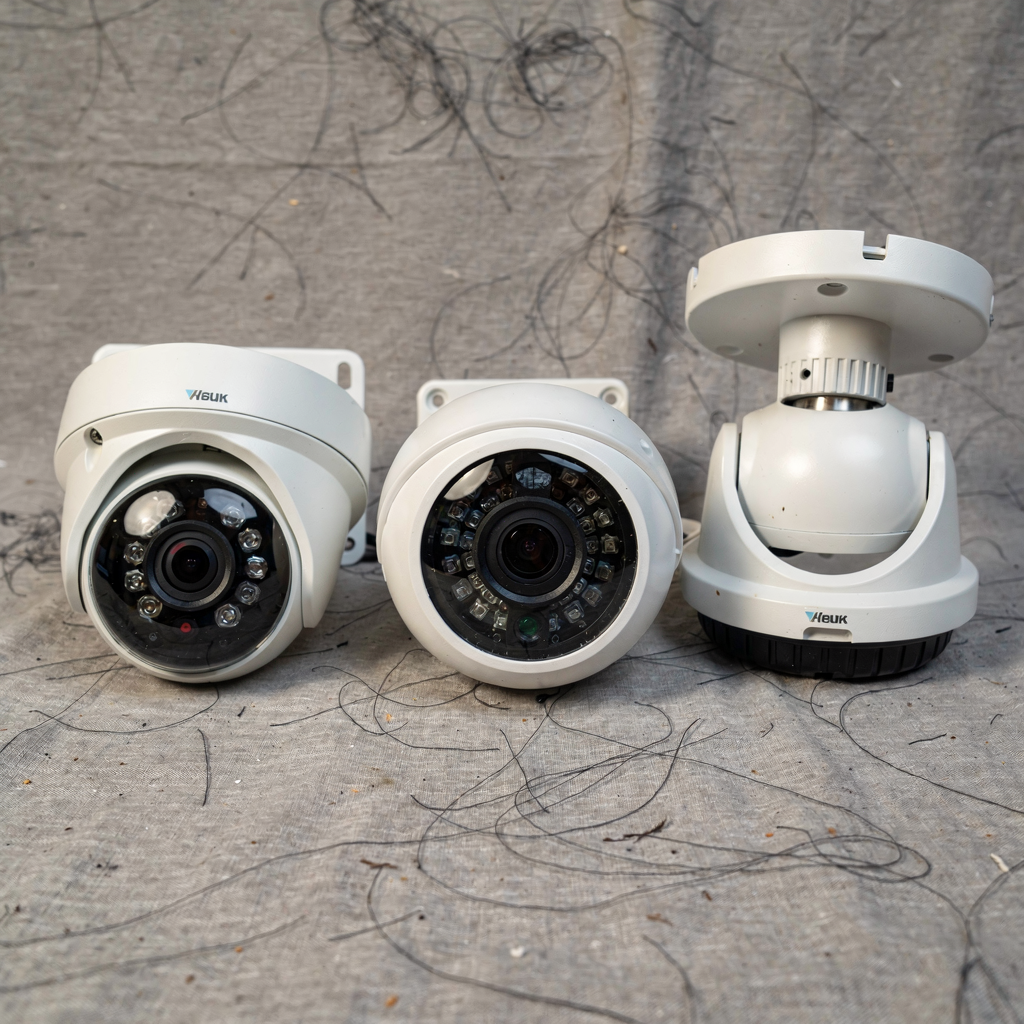
Finally, plan for the number of cameras you need and for layout. A simple site may need only a few units. A warehouse or campus will require multiple cameras and a clear map. If you need guidance, consider thermal or people-counting analytics for critical zones; our forensic search and people-detection work for airports show how tailored detection improves operations and helps in choosing camera types búsqueda forense and detección de personas.
AI vision within minutes?
With our no-code platform you can just focus on your data, we’ll do the rest
security camera system
A security camera system combines cameras, recorders, cabling, power, and software into an operational service. Core components include cameras, a DVR or NVR, cabling, and power supplies. Analog setups use a DVR, while IP deployments use an NVR. When you plan storage, you choose between on-site NVR with RAID arrays and cloud-based storage. On-site arrays give fast local access and predictable storage capacity. Cloud systems offer off-site redundancy and easy remote access.
Decide retention periods based on risk, regulation, and budget. For evidence, many teams keep 30 to 90 days. However, sensitive sites retain footage longer. Also, consider retention for video security that ties to investigations and to insurers. Cloud-based systems can simplify multi-site management but raise compliance questions in some jurisdictions. For enterprises seeking EU-compliant options, an on-prem solution that keeps video inside your network can reduce regulatory risk. visionplatform.ai supports on-prem reasoning, which helps teams keep video, models, and reasoning under their control.
Connectivity matters. Wired connections provide stable bandwidth and low latency. Wireless links simplify deployment but can introduce interference. For IP camera networks, calculate required bandwidth per stream and ensure your switches support PoE if you prefer Power over Ethernet. Also protect the network with VLANs, strong passwords, and encryption to prevent security breaches. Systems require regular firmware updates and access control. In larger installations, integrate access control systems and alarm systems to centralize event handling.
Finally, pick a management system that suits your operations. A good VMS exposes APIs and integrates with analytics, access control, and incident workflows. That way, the entire system provides searchable context. For example, tie vehicle detection or intrusion alerts to incident logs. In airports and high-security sites, integrations such as ANPR/LPR, thermal people detection, and intrusion detection improve situational awareness detección de intrusiones and ANPR/LPR.
business security
Business security needs vary by sector. Retail focuses on loss prevention and liability reduction. Offices focus on staff safety and secure access. Warehouses focus on inventory control and perimeter monitoring. In retail, video surveillance reduces shrinkage and speeds investigations, which reduces operational losses. For offices, cameras help resolve disputes and enhance emergency response. For warehouses, vehicle detection and object-left-behind detection support logistics and reduce theft.
Compliance matters. Businesses handling personal data must follow GDPR and similar rules. That means signage, access controls for footage, and documented retention policies. For example, post notices where video surveillance operates and keep a log of who views video footage. Policies should state how footage is stored and how to export it safely. If you plan to link video with access control data, ensure lawful bases and minimal data handling.
Return on investment arises from fewer losses, faster investigations, and potential insurance benefits. Insurers often reward documented security measures with lower premiums. Also, a faster investigative process reduces downtime after incidents. When you add AI to existing cameras, you can cut time to find relevant clips. For example, visionplatform.ai turns detections into searchable descriptions, which speeds forensic search and reduces time per incident. As a result, teams gain peace of mind and measurable cost savings.
Use cases include slip-trip-fall analytics to limit liability, PPE detection to enforce safety, and crowd detection to manage occupancy. Internal links to slip, PPE, and crowd analytics provide further examples of integrated security and operations resbalón-tropiezo-caída, detección EPP, and detección de densidad de multitudes. Together, cameras, analytics, and clear policies create a robust security solution that enhances safety and security for employees and visitors.
AI vision within minutes?
With our no-code platform you can just focus on your data, we’ll do the rest
5. 10 questions to ask
This chapter lists ten questions that every buyer should pose when evaluating video security. Ask these ten questions early, and you will save time and money. First, does the system support remote viewing on mobile and desktop? Remote access matters because operators need to check live feeds anywhere with an internet connection.
Second, what resolution and frame rate do the cameras record? Image quality and frame rate affect forensic value and motion clarity. Third, how is footage stored, for how long and where? Ask where footage is stored and whether footage is stored locally or in the cloud. Fourth, can the system scale with additional cameras or sites? You should plan for multiple cameras across multiple locations.
Fifth, what encryption and user-authentication methods protect the feeds? Security measures must include strong passwords and multi-factor options. Sixth, are motion detection and intelligent alert included? Intelligent alerting reduces false positives and helps monitoring operations. Seventh, how do I search, retrieve and export archived footage? Fast forensic search matters; for instance, VP Agent Search converts video into text so operators can find clips using natural language.
Eighth, what warranty, maintenance and technical support come with the system? Ask about SLA terms, firmware updates, and a monitoring service if you need 24/7 coverage. Ninth, is there integration with alarm systems, access control or analytics? Integration with access control systems and alarm systems gives context and speeds incident response. Tenth, how does it perform in low-light or adverse weather conditions? Look for outdoor cameras with IP66 ratings and good night-vision range for reliable performance.
These questions to ask form a practical checklist. They align with common questions, top 10 questions, and ten questions buyers often raise when choosing a solution. If you need guidance on camera selection, consider balance between analog and IP camera choices and between DVR or NVR setups. Also think about storage capacity, audio recording rules, and how the system provides evidence for investigations. Answer these questions before you buy a system to buy the right video security system.
remote viewing
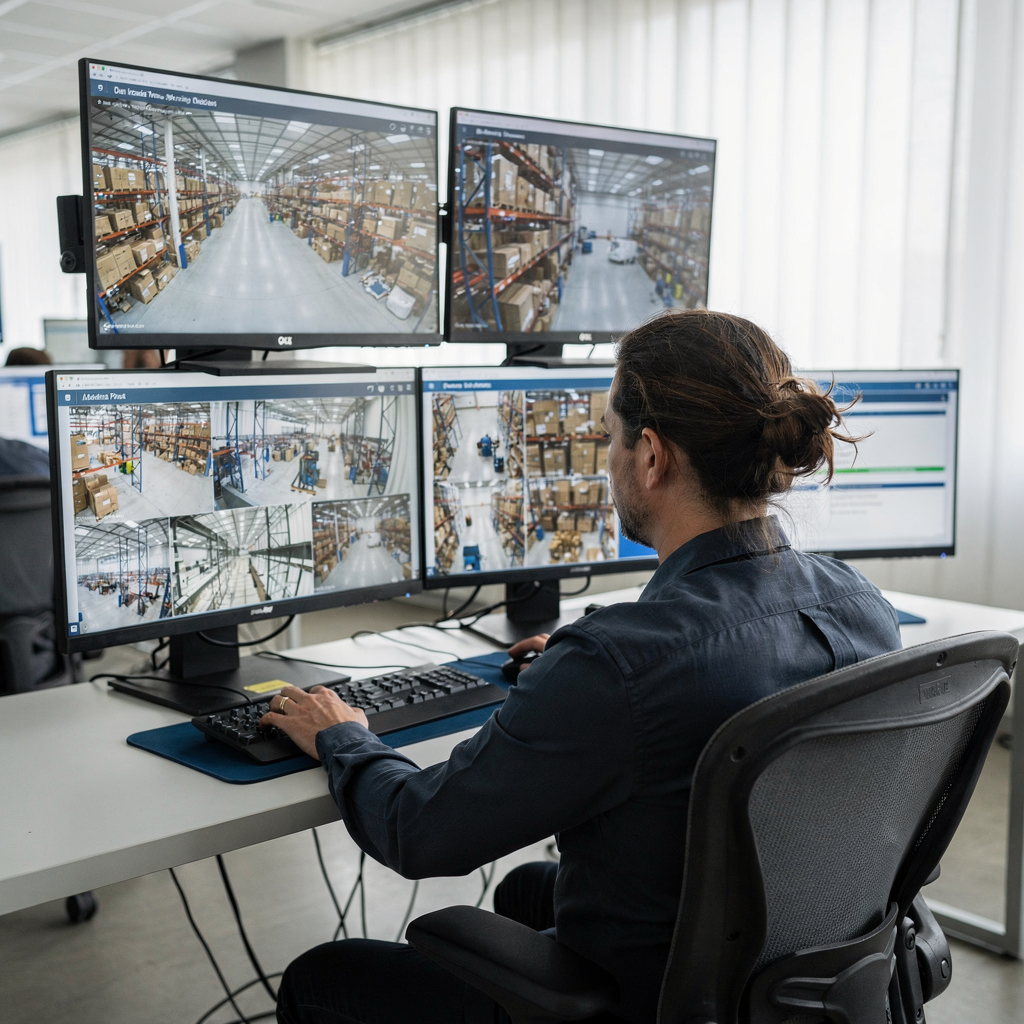
Remote viewing enables live and historical access from mobile apps, web portals, or VPNs. Available platforms include dedicated mobile apps, web browser access, and VPN access for secure connections. Many systems offer cloud relay services to simplify NAT traversal, yet cloud systems can raise compliance questions. For sensitive sites, an on-prem option avoids sending video outside the network. visionplatform.ai supports on-prem reasoning and keeps video and models inside your environment to address those concerns.
Network requirements vary by stream. For example, a 2 MP camera may send 2–4 Mbps; a 4K stream can use 8–16 Mbps. Therefore, calculate upload speed if you plan remote viewing over cellular or home internet. Also configure port forwarding or use cloud relay services to enable connections without complex firewall changes. For each remote access option, test latency and picture quality before deployment.
Security best practice includes end-to-end encryption, multi-factor authentication, and role-based access. Also segment camera networks from business VLANs. Avoid default passwords and restrict who can export video footage. Regularly update firmware and monitor logs for suspicious logins to prevent security breaches. In addition, enable audit trails so you can track who viewed or downloaded video.
Troubleshooting tips help maintain uptime. First, update device firmware and app versions. Second, check for signal interference on wireless links. Third, verify PoE power supplies and cabling. Fourth, if login fails, reset credentials and review user roles. If you still have issues, contact technical support under warranty or engage a managed monitoring service for help. With planning, remote viewing improves situational awareness and enhances security and surveillance for home or office environments.
FAQ
What is the difference between a DVR and an NVR?
A DVR records analog camera feeds and encodes video on-site. An NVR records IP camera streams and typically runs on a network. Both serve as the recording system, yet your choice depends on whether you use analog or IP camera types and whether you need networked features.
How many cameras do I need for my site?
The number of cameras depends on site layout, coverage goals, and blind spots. Start by mapping entrances, high-value zones, and traffic flows, then select camera types to cover those areas. For complex sites, an assessment will show the optimal number of cameras and placement.
Can I view my cameras from anywhere?
Yes, many systems allow remote viewing from mobile apps and web portals, so you can access streams from anywhere with an internet connection. However, ensure your plan supports secure remote access and meets your connectivity limits.
How long is footage kept?
Retention depends on policy, regulation, and storage capacity. Common retention windows range from 30 to 90 days. Also account for events that require longer storage for legal reasons, and document rules for when footage is archived or deleted.
Are cloud-based systems secure?
Cloud-based systems offer redundancy and easy scaling, but they require careful vendor assessment. Check encryption, data residency, and compliance controls. For stricter compliance, consider on-prem or hybrid solutions that keep video local.
Do cameras work at night and in bad weather?
Outdoor cameras with IP66 or IP67 ratings and IR illumination work well in rain and low light. Choose models with suitable operating temperatures for extreme climates. Also test outdoor cameras on site to confirm performance.
Can I integrate my cameras with access control?
Yes, many video security systems integrate with access control systems to correlate events and to automate responses. Integration enhances investigations and supports incident workflows across security and operations.
Will analytics reduce false alarms?
Intelligent analytics and AI-assisted reasoning reduce false positives by adding context to detections. Systems that explain alarms and combine video with other sensors improve verification and enable faster, more confident actions.
What warranties and support should I expect?
Manufacturers typically offer hardware warranties and optional maintenance plans. Ask about SLA response times, firmware updates, and a local monitoring service to ensure systems keep working properly. Also confirm availability of spare parts and technical assistance.
How do I choose the right video security system?
Start by defining your surveillance needs, compliance requirements, and budget. Then compare camera types, management systems, and storage options. Consider systems that allow AI-assisted search and reasoning to speed investigations and to provide the best operational value.
