


description and support: overview of Genetec Assistance Centre
The description below introduces the Genetec technical assistance center and explains how it helps frontline teams review CCTV footage. The Genetec technical assistance center focuses on timely problem solving and practical guidance. First, it aims to reduce friction for operators. Second, it provides structured help for incidents and evidence handling. Third, it helps users get actionable results fast. Therefore, operations run smoother and teams spend less time hunting for answers. Next, the centre supports standard and customised queries. Then, it routes complex problems to engineers when needed.
The mission of the genetec technical assistance center is to deliver fast, human-centred help for customers that run large monitoring operations. The centre combines product knowledge, installation best practice, and escalation paths so that teams can recover systems and retrieve footage quickly. For example, a modern hub may connect live feeds, archive storage, and analysis tools. The service both documents procedures and offers direct troubleshooting. It also reduces training needs by showing operators exact steps to pull clips and create reports. This lowers the learning curve while keeping evidence handling compliant.
Key benefits include speed, easier access to recordings, and lower support overhead. Speed matters because investigations generate large evidence sets; some incidents create over 1.5 terabytes of material per incident, which makes manual review costly and slow research.com. As a result, a responsive help centre that can guide searches and exports provides a clear advantage. The centre provides templates, checklists, and quick links to the techdoc hub. Together, these resources empower non-expert users to act. If you want hands-on help, get direct support through the official portal and open a GTAC-style case with details about the archive, timestamps, and the product involved.
technical information: architecture of CCTV Chat integration
First, the architecture section outlines the components that store, index, and serve footage for conversational access. The overall design uses a recorded archive, a metadata index, and a retrieval API. Second, the VMS stores primary streams and metadata while the index tags objects, events, and access logs. Third, a lightweight middleware exposes these indexes to conversational interfaces through secure APIs. Then, the middleware validates permissions and enforces retention rules before any clip leaves storage. Next, an on-prem reasoning layer converts detections and rules into human-readable notes. This architecture reduces manual searches and speeds investigations.
The chat element integrates with the VMS by querying indexed metadata and by requesting clip transcodes when needed. The conversational endpoint translates plain-language prompts into API calls. It also handles pagination, time ranges, and camera selection. For sites that require on-site processing, an option streams only metadata and thumbnails while keeping full recordings on-prem. This model meets strict compliance needs. The system also supports edge processors and on-prem ML, which is the same philosophy behind visionplatform.ai: keeping processing inside the environment for auditability and privacy.
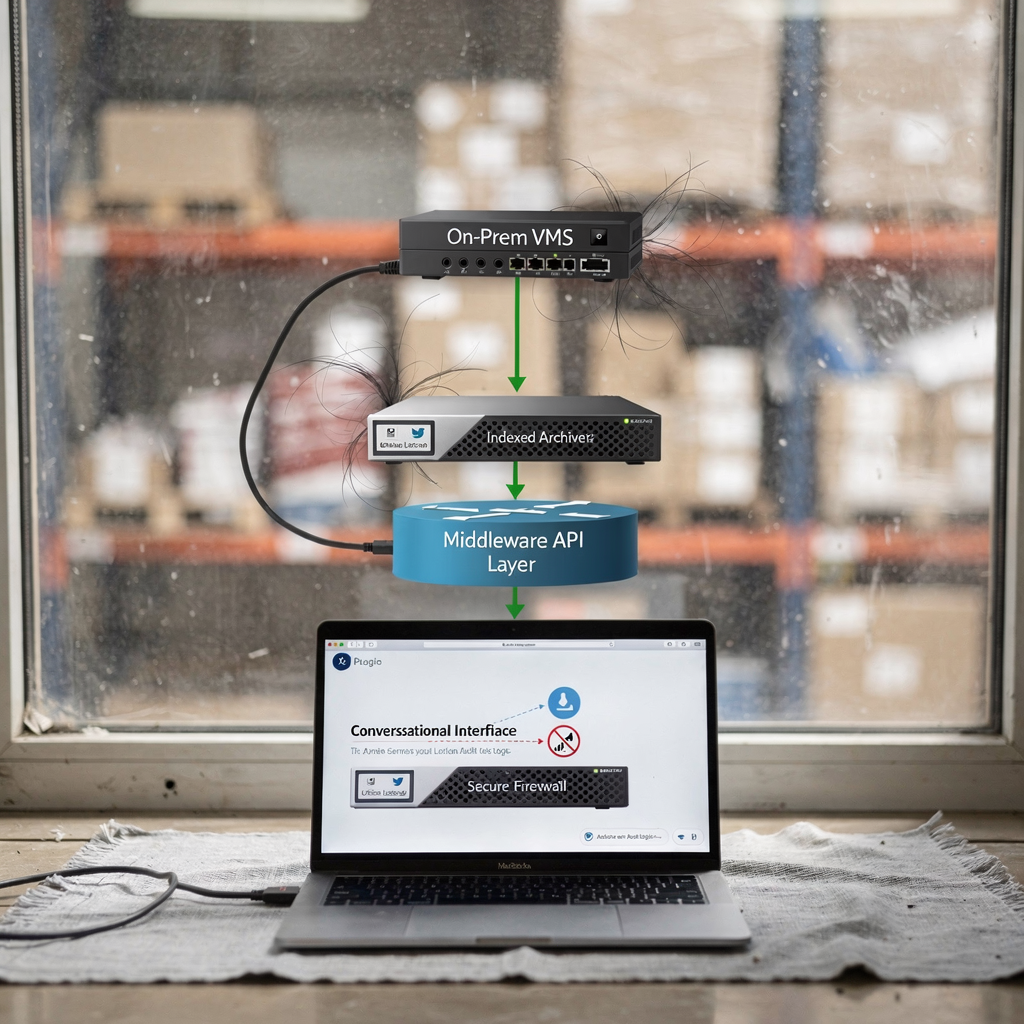
Security controls include encryption at rest and in transit, role-based access, and tamper-evident logs. Policies enforce minimal clip export. Additionally, audit trails record who queried which clip and why. The architecture supports industry connectors, such as ALPR feeds and access control events, for correlation and verification. Finally, operators can select a policy to mark evidence as restricted, which triggers extra approvals before file movement is allowed.
AI vision within minutes?
With our no-code platform you can just focus on your data, we’ll do the rest
video contact: natural language queries for footage
Users ask for footage with natural phrases like “Show entry through the north gate, 2–4 PM.” The conversational layer parses such prompts and returns candidate clips, thumbnails, and a time-stamped summary. This paragraph uses the keyword video to match the precise naming convention of the stored media. Then, the system filters by camera, event type, and confidence. Next, smart indexing highlights moments where analytics detected motion, vehicles, or unusual behaviour. For instance, an ALPR event can be surfaced alongside a matched read so that investigators follow a lead quickly. In many deployments, ALPR systems create millions of images daily and legal rulings confirm public interest in such records ALPR public records example.
Example prompts that the conversational agent supports include: “Find anyone loitering near gate two after midnight,” “Extract all entries through the north gate between 14:00 and 16:00,” and “Show all vehicle plates captured by camera A.” The interface then returns short clips and an event summary. Automatic event detection tags clips when people cross a virtual boundary, when a vehicle stops, or when a bag is left unattended. These tags appear as structured metadata, and a report can be generated that includes timestamps, camera IDs, and a short textual description. Users can then export a sequence or flag moments to a case.
To speed verification, the conversational layer highlights correlated data from access control or thermal sensors. For forensic search workflows, see our guide on search techniques and examples for airports where complex queries are common, such as people detection and forensic timelines forensic search in airports. If ANPR correlation is needed, review the ANPR integration notes for handling plate reads and privacy rules ANPR/LPR in airports.
case management and open issues resolution
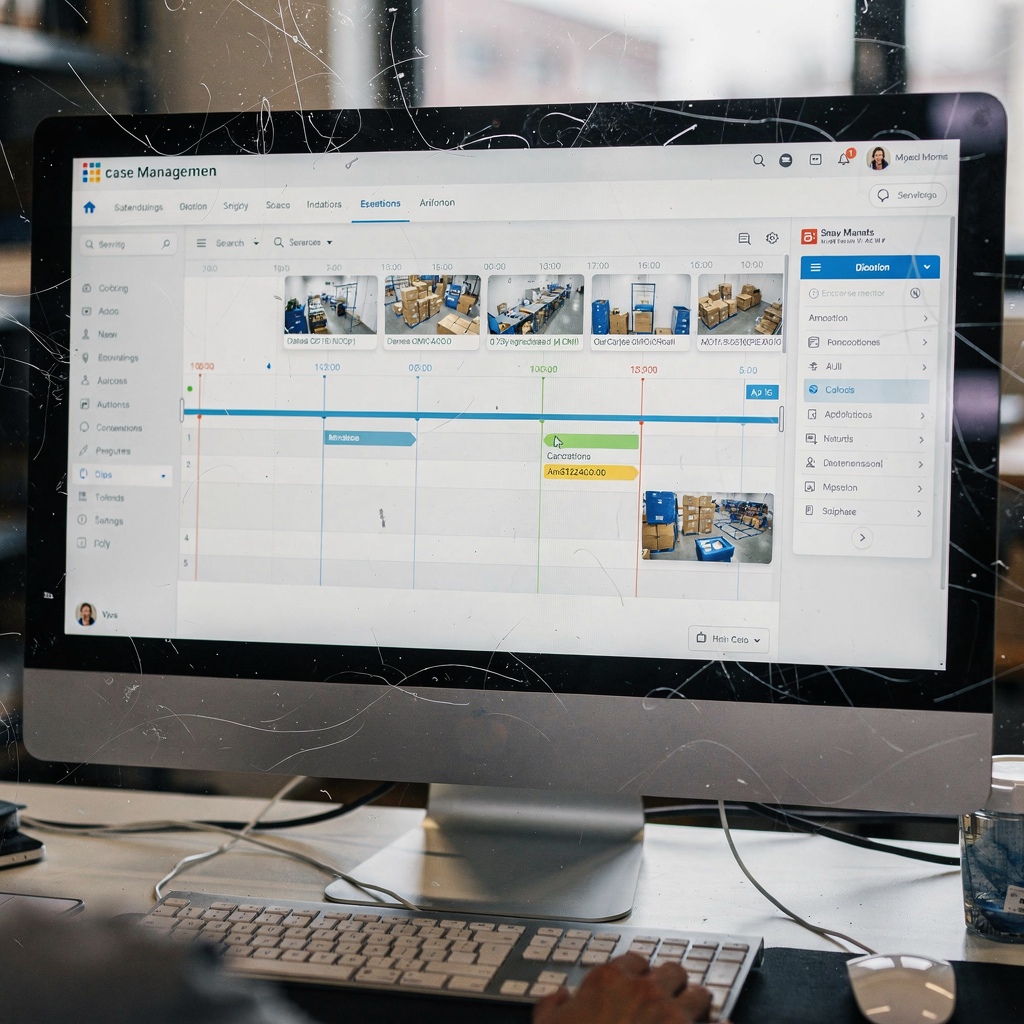
When a user flags a clip from a conversation, the system can log a case automatically. The case workflow captures the clip, the query text, associated tags, and the user’s justification. First, a short incident record is created. Second, the record is enriched with analytics summaries and linked sensor data. Then, the new case appears on an open-case dashboard for investigators, with priority markers and SLA countdowns. Cases are searchable by tag, time, or keyword and can be assigned to specific users or teams. An audit trail records each action, including who viewed footage and who exported it.
Open issues related to a case are tracked until resolution. The dashboard displays unresolved items, pending approvals, and evidence requests. Users can attach annotations and notes to moments inside a clip. Escalation paths are configurable: low-risk items stay within line teams, while complex incidents route to specialist engineers or legal review. For example, GTAC-style escalation is available for complex product failures and configuration problems. The GTAC tag appears in the escalation form along with priority, affected hardware, and error logs.
Resolution tracking records the outcome and any remedial task. If a hardware fault is found, the system logs which camera needs replacement and which model or firmware was involved. For perimeter incidents, teams can link to intrusion reports and corrective action. To support operational improvement, closed cases feed back into a knowledge base, which builds searchable solutions for recurring faults. For perimeter and intrusion prevention learning, refer to proven detection scenarios like intrusion detection for perimeter breaches intrusion detection in airports. Finally, closed-case analytics can reveal trends and training needs so teams reduce repeat events.
AI vision within minutes?
With our no-code platform you can just focus on your data, we’ll do the rest
technical documentation and useful resources
Find technical documentation in the official knowledge base and the techdoc hub. The site includes API references, integration notes, and configuration guides. The phrase welcome to the techdoc hub appears on the landing page to orient new users. In addition, a separate welcome to the techdoc page lists quick start checklists and system prerequisites. The genеtеc techdoc hub and third-party guides supply sample code snippets and REST examples. The techdoc hub houses integration guides for common workflows, and it links to download packages, firmware notes, and release logs. The lab examples show how to forward analytics events securely and how to script exports.
Key resources include API specifications, a troubleshooting guide, and a developer sandbox. The genеtеc technical documentation set provides schema for metadata, event payloads, and retention policy calls. Contributors often post sample webhook handlers and webhook security patterns. For teams building search features, our VP Agent Search pattern explains how to create a natural-language search pipeline that converts detections to readable descriptions. For practical automation and training, you can review code samples, developer forums, and step-by-step training videos that show how to index, tag, and export evidence.
Community forums and FAQs help solve common problems quickly. The techdoc hub also contains release notes and compatibility matrices for hardware and software. If you want a focused guide on people detection or occupancy patterns for terminal operations, check our people-detection pages for specific examples and deployment advice people detection in airports. These pages show how to tune analytics for crowded environments and how to avoid excess false alarms. Overall, the available materials aim to reduce mean time to repair and to make integrations repeatable and auditable.
contact us: available support team and response time
If you need direct intervention, contact us through the listed channels. The Genetec technical assistance portal provides ticket intake, live chat, and secure file upload. For urgent on-site coordination, phone contact is available during business hours. The support team handles initial triage, reproduces the issue in a lab when required, and coordinates with field engineers for hardware faults. Typical SLAs vary by contract tier, and average response times are posted on the portal. For customers with enhanced plans, priority lanes reduce wait time and speed resolution.
When contacting the Genetec technical assistance portal, include the site name, timestamps, affected cameras, and a short error log. The phrase contacting the genetec technical assistance should be used when opening a formal request so agents can route the case correctly. GTAC-style escalation is used for complex system outages and for rare issues that need vendor engineering. The support team can also advise on retention policies and compliance. For legal or privacy questions, the team will flag the case for data-protection review and add an approvals workflow before any media transfer.
The help team includes product specialists, field engineers, and escalation leads. Each team member keeps a personal knowledge base entry and links to the latest product advisories. If you need faster automation, ask about integrations with on-prem reasoning agents that reduce manual steps. For non-critical queries, use the portal and knowledge base. For urgent faults, use the priority phone line. Finally, the support organisation aims to be transparent about timelines and to deliver consistent outcomes for operations that depend on timely evidence retrieval.
FAQ
How does the Genetec technical assistance center help non-technical users?
The centre provides guided steps, templates, and a searchable knowledge base that translate complex procedures into simple actions. In addition, agents can walk users through exports, permissions, and clip trimming to ensure correct evidence handling.
Can conversational interfaces retrieve clips by describing events?
Yes. The conversational layer interprets natural phrases and maps them to indexed events and time ranges. It then returns candidate clips with thumbnails and summaries for quick verification.
What privacy safeguards exist for exported footage?
Export policies require role-based approvals, encrypted transfer, and audit logs. Further, retention and masking tools can be applied before any file leaves the archive to meet legal obligations.
How are false positives handled in automatic tagging?
Automatic detections include confidence scores and provenance data so operators can verify events quickly. If tags are incorrect, users can annotate and retrain models with curated examples for site-specific accuracy.
Where can I find API documentation and sample code?
API references and sample handlers are published in the techdoc hub and on the vendor portal. The resources cover REST endpoints, webhook examples, and payload formats for integration.
What channels are available for urgent technical issues?
Urgent issues can be raised via the priority phone line or through the portal’s escalation form. For complex outages, GTAC-style escalation brings vendor engineers into the loop quickly.
How long does it take to receive a first response?
Response times depend on the service tier and SLA. Basic tickets typically receive an initial reply within the published SLA window, while priority plans receive faster intervention.
Can the system correlate analytics with access control or ALPR data?
Yes. The platform supports correlation across sensors and systems to provide context for an event. This cross-correlation speeds verification and helps build stronger evidence chains.
Are there training resources for operators?
Training videos, quick-start guides, and sandbox examples are available in the techdoc hub. These resources help reduce onboarding time and clarify common workflows.
How do I request a feature or report a bug?
Use the portal’s feature request form or open a support case to report bugs. The product team reviews requests and provides status updates through the ticket lifecycle.
