


Deploy Multi-Agent: ai agent in multi-agent systems
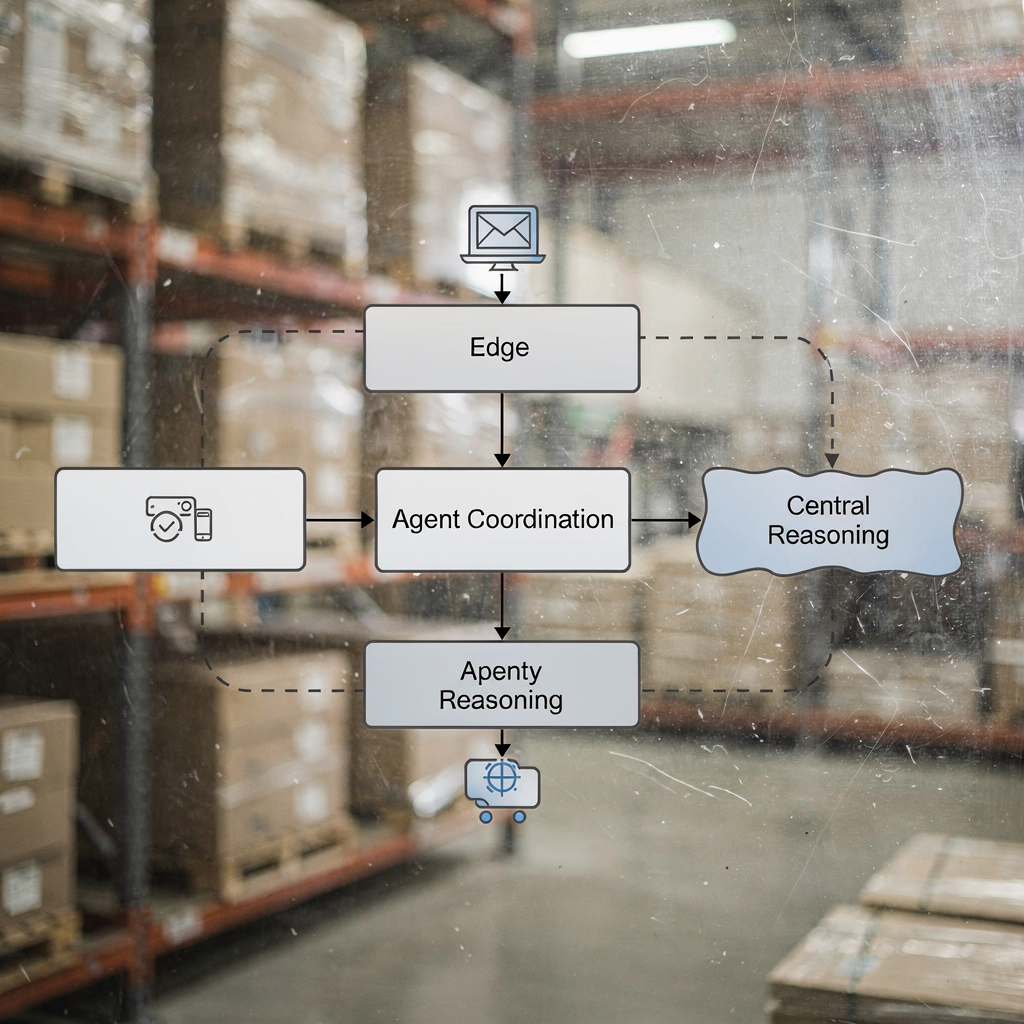
First, design a clear architecture. Next, label components so teams can reason about them. For multi-agent systems the base pattern is simple. One coordination layer manages many worker agents. Each worker runs on a virtual machine or on an edge device. Then, an AI agent can handle video ingestion, a second AI agent can enrich metadata, and a third agent can forward events to business systems. Also, the orchestration layer should expose REST apis so operators and external services can call services and receive callbacks. For example, an operator can query the system using natural language. Visionplatform.ai designs the VP Agent Suite to expose VMS data and to let agents run without cloud video, and it supports this multi-agent approach.
Next, pick a deploy pattern. You can deploy container images per VM and then manage them with Kubernetes. Then, scale pods to match camera count and CPU. Also, use service meshes for secure inter-agent routing. This reduces latency and keeps agents isolated. You can deploy ai agents to edge nodes to preprocess streams. Then, forward only events to a central control tier. This reduces bandwidth and helps retain full control of data. The architecture must include health probes, log collectors, and secure token rotation.
Then, decide communication protocols. Use MQTT for lightweight event streams, use gRPC for high-throughput telemetry, and fallback to webhooks for legacy VMS integrations. Also, implement a message broker to enable decoupled agent orchestration. The broker supports agent discovery, agent orchestration, and scaling decisions. A control room ai agent can subscribe to event topics and to camera health feeds. This approach lets one agent ask another for context. Thus, multiple agents can coordinate without tight coupling.
Finally, consider compliance. Use on-prem policies to avoid public ai processing of video. Also, design audit trails so teams can trace who asked what and when. The architecture should allow an operator to retain full control over models and data. For a hands-on example of search and reasoning in this topology, see VP Agent Search for forensic-style queries and timeline investigations: forensic search in airports. For device-level detections you can integrate event templates that match intrusion patterns such as those described here: intrusion detection in airports. For crowd-related signals, the system can route events to a crowd module: crowd detection density in airports.
Automation to Streamline Control Room Operations
First, automation reduces noise. AI agents verify alarms and then flag only validated situations. For example, AI-driven systems have reduced false alarms by roughly 30–50% according to recent industry reporting. Also, operators see workload drop by up to 40% when routine verifications are handed to AI agents as noted in a 2025 review. These numbers matter. They free control room operators to focus on complex decisions instead of repeated manual checks.
Next, explain how automation streamlines video feeds. First, agents filter events at the edge. Then, a verification agent correlates video detections with access logs and sensors. This correlation step lowers false positives and gives operators rich context. Next, a prioritisation agent applies rules to assign severity and to route alerts to the right team. The routing logic can escalate high-severity items directly to a supervisor while batching low-risk items for later review. This automated prioritisation shortens response times and reduces cognitive load.
Also, define response rules. A control room AI agent can suggest actions, pre-fill incident reports, or trigger physical responses according to policy. The VP Agent Actions capability supports manual, human-in-the-loop, and automated responses. This lets organisations automate low-risk tasks while keeping humans in charge of sensitive decisions. Thus, the system can automate repetitive tasks and retain oversight for critical ones. In practice, this cuts the time required to resolve routine alarms and helps teams scale.
Finally, monitor metrics. Track false positives, mean time to acknowledge, and number of interventions avoided. These metrics let operators see the effect of automation and iterate on rules. For an example of how video detections become searchable context, see our work on people detection and forensic search, like this detailed guide to people detection in airports people detection in airports. Together, automated filtering, prioritisation, and response rules transform how a control room operates.
AI vision within minutes?
With our no-code platform you can just focus on your data, we’ll do the rest
Agents at Scale: enterprise ai in ai control room
First, choose an enterprise-grade platform. Many organisations adopt Microsoft Azure AI for its managed model services and hybrid deployment options. Azure supports deploying containers near the camera, and it can orchestrate large-scale model serving according to vendor guidance. This helps teams scale ai across sites while keeping core data on-prem when required. Use an enterprise ai approach to balance scalability and compliance.
Next, plan containerisation and Kubernetes. Package each AI agent as a microservice. Then, use Kubernetes to scale pods based on camera load. For hundreds of cameras, shard processing across nodes. Use node pools for GPU tasks and for CPU-only services. Also, implement autoscaling rules that react to event rates, not just CPU. This reduces cost and keeps latency predictable. You can scale ai across clusters and still ensure each virtual machine houses a predictable set of agents.
Also, define dashboards and alerting. Dashboards should show agent performance, camera health, and incident queues. Use one pane for daily operations and a second pane for escalation. An agents at scale deployment needs clear alert channels so control room operators know what to act on now. Include an alert that summarizes context and suggested actions. Use simple widgets for mean time to resolve and for agent performance so teams can spot regressions quickly.
Finally, address governance. Adopt policies that limit public ai processing of sensitive video. Add role-based controls so only authorised users can change models or to change action rules. Use an orchestration layer that enforces permissioned actions. visionplatform.ai supports on-prem VP Agent Suite deployments so organisations can avoid vendor lock-in and retain full control over data and models. This lets teams scale without losing the ability to retain full control.
Real-time Analytics and Incident Resolution with agent systems
First, design a real-time pipeline. Ingest video frames, run lightweight models at the edge, and stream events to a central processor. The central processor enriches events with metadata, then indexes the enriched records for fast querying. This approach processes terabytes of video data daily and keeps the control room responsive. The National Academies report highlights how big data approaches help when systems must handle high volumes of video and sensor data that research shows.
Next, explain detection logic. Agent systems use computer vision and metadata fusion to spot anomalies. A detection agent flags unusual motion, a context agent checks access control logs, and a reasoning agent looks for patterns over time. Together they reduce false positives and increase situational confidence. In practice, this means incident resolution starts with a verified, contextualized alert rather than an isolated detection.
Also, map incident workflows. When an agent detects a suspicious event, the agent acts to collect clips, annotate the timeline, and craft a suggested incident report. The control room operator sees the evidence, the suggested action, and the escalation path. If needed, the system can route the incident to supervisors or to external response teams. This structured path speeds up decision making and lets teams make informed decisions without jumping between systems.
Finally, measure end-to-end performance. Track incident resolution time, the number of escalations, and the accuracy of automated verifications. Use these metrics to tune models and to improve agent decision thresholds. visionplatform.ai’s VP Agent Reasoning ties video to procedures and to access logs so operators get clear explanations. For research on how AI and AR can improve situational awareness in operations, see the DARLENE project findings here.
AI vision within minutes?
With our no-code platform you can just focus on your data, we’ll do the rest
Workflow Automation and Access Control for Achieving Full Control
First, automate routine tasks. Agents can create incident reports, attach evidence, and notify teams. This workflow automation reduces manual work and frees operators to focus on exceptions. Then, enforce access control around actions. Configure who can approve automated actions, who can edit workflows, and who can change model thresholds. This protects operations and supports audit requirements.
Next, integrate access control systems and AR overlays. When an agent verifies an event, it can cross-check access control logs and then overlay relevant camera views with operator guidance. The VP Agent Reasoning capability combines video descriptions with access points to explain why a situation matters. This boosts operator visibility and helps teams act faster. Also, AR overlays can show direction, last-known position, and recommended routes for responders. The combination of automated checks and visual guidance helps achieve achieving full control of multi-site operations.
Also, define resource routing rules. Use agents to orchestrate guard routing and equipment dispatch. Agents can suggest a routing path, check availability, and then reserve the necessary assets. This reduces human latency in resource allocation. For physical security, agents can close gates, lock doors, and pre-authorise access based on policy while ensuring human oversight for sensitive actions.
Finally, track the right metrics. Use a compact set of metrics such as mean time to verify, number of automated closures, and a compliance metric for audit trails. These metric help teams prove value and to refine rules. Visionplatform.ai supports tight VMS integrations so events and workflows map directly to operational procedures and to business processes, while keeping models and video on-prem to support EU AI Act compliance and security and compliance requirements.
Agentic AI Integration: Multiple Agents in Artificial Intelligence Use Case
First, define agentic roles. Some agents detect, some verify, and some act. Then, use a coordination policy to define who escalates and when. Agentic ai approaches let multiple agents negotiate responsibilities and then execute complex workflows. This use multi-agent coordination helps handle parallel incidents and overlapping camera coverage. For a concrete use case, consider predictive crowd management.
Next, outline the predictive crowd management use case. Cameras feed crowd density estimates to a crowd agent. The crowd agent predicts thresholds, then notifies a routing agent to suggest alternative flows. The routing agent checks nearby access sensors and then asks a staff allocation agent to reassign staff. The chain completes with a reporting agent that logs the event and that updates dashboards. This coordinated flow shows how multiple ai agents can reduce manual interventions and can pre-empt incidents before they escalate.
Also, manage governance and continuous learning. Keep an audit trail of agent decisions. Retrain models using verified incident records so agents learn from operator corrections. This forms a continuous learning loop and improves agent performance over time. Use a governance board to approve policy changes and to monitor compliance with the EU AI Act if relevant. Public ai should be avoided for sensitive video; prefer an on-prem model that retains control.
Finally, list best practices. First, start with small, layered agents and add complexity. Second, design clear escalation rules and a human-in-the-loop option. Third, measure agent performance and tune thresholds. Fourth, avoid vendor lock-in by using open standards and by ensuring the platform integrates with VMS and business systems. When agents work together, one agent can hand off context to another, and the system becomes more resilient when systems fail. The state of AI now supports agent orchestration that helps teams make informed decisions and that improves incident resolution without sacrificing oversight.
FAQ
What is an AI agent in a control room context?
An AI agent is a software component that performs specific detection, verification, or action tasks in a control room. These agents process video, metadata, and signals to support operators and to automate routine responses.
How do multi-agent systems improve monitoring?
Multi-agent systems let specialized agents work in parallel, which improves throughput and resilience. They also allow tasks to be split so one agent verifies alarms while another prepares reports or notifies teams.
Can AI reduce false positives in surveillance?
Yes. Research shows reductions in false alarms of roughly 30–50% when verification agents correlate data sources as reported. This lowers operator fatigue and improves trust.
How do agents handle data from multiple sources?
Agents fuse video, access control logs, and sensor feeds to create contextual alerts. This fusion helps an agent decide whether to escalate an event or to close it as low risk.
What is a typical deploy pattern for AI agents?
Teams often deploy containerised agents on edge devices or virtual machines and orchestrate them with Kubernetes. This pattern supports scaling and helps maintain low latency.
How does Visionplatform.ai support control room automation?
Visionplatform.ai offers an on-prem VP Agent Suite that turns detections into explainable events and that supports search with natural language. The platform helps reduce manual work by recommending actions and by pre-filling reports.
Are there governance concerns with AI in control rooms?
Yes. Governance must cover data retention, model updates, and permissions for automated actions. On-prem deployments and audit trails help with compliance, especially under the EU AI Act.
What metrics should teams monitor?
Track false positives, mean time to verify, automated closures, and agent performance. These metrics show value and guide model tuning.
Can agents operate autonomously?
Agents can operate autonomously for low-risk, recurring tasks when policy allows. However, human-in-the-loop controls are recommended for high-risk decisions.
How do agents integrate with existing VMS?
Agents connect via APIs, MQTT, or webhooks and can integrate with VMS for live feeds and event access. This lets teams add reasoning and automation on top of their current video management systems.
