


Chapter 1: axis devices and axis camera
Axis devices and sensors form the backbone of modern deployments, and they work closely with VMS and third-party tools. For organisations that need robust video management, the choice of device affects capture quality, metadata richness, and long-term retention. axis communications designs product families that span edge cameras, door controllers, and encoders. As a result, sites can deploy systems that work with most axis hardware while keeping workflows consistent. In many installations the recording server runs alongside edge analytics, and administrators choose devices to match server capacity and bandwidth limits.
When planning for forensic use, think about image quality, frame rate, and metadata. High-resolution camera capture improves identification. At the same time, metadata is based on axis schemas in many integrations, which makes indexing and search more reliable. A tight integration with VMS and analytics reduces gaps between events and video frames. For example, visionplatform.ai adds a reasoning layer on top of video so operators can interpret detections and then act. If you want to learn how natural-language forensic search works in an applied environment, see our guide on forensic search in airports which shows practical workflows and outcomes.
Budget and scale matter. Milestone and other vms platforms accept streams from many devices, but you should confirm compatibility before purchase. Using a mix of fixed cameras and PTZs can reduce blind spots. Also, consider the axis optimizer forensic search plug-in when you need to speed index builds on large archives. Storage tiering and retention policies control costs. Finally, plan for secure chain of custody so that recorded video can be transferred or shared according to policy. These steps make it possible to capture usable footage while keeping operational overhead low.
Chapter 2: forensic search and smart search with ai
Smart search combines indexed metadata with AI to let investigators find events fast. The aim is to perform search across timelines without manual scrubbing. AI-driven analytics extract features such as faces, poses, and license plates, then attach tags to timelines. This approach is designed to accelerate forensic investigations so teams quickly triage relevant clips. One provider notes that advanced search tools can cut review time by up to 70% versus manual review (study). In practice, the system can suggest a short list of clips that match search criteria and confidence level thresholds.
Forensic search workflows rely on both edge and server-side processing. When analytics run at the edge, the stream carries enriched metadata to the server, which then indexes search data. Alternatively, cloud or on-prem servers can analyse multiple feeds to build cross-camera timelines. Using AI also reduces false positives, since models learn to ignore recurrent benign motion. Detection models now reach high accuracy. Recent systematic reviews show forged video detection exceeding 95% in controlled tests (research).
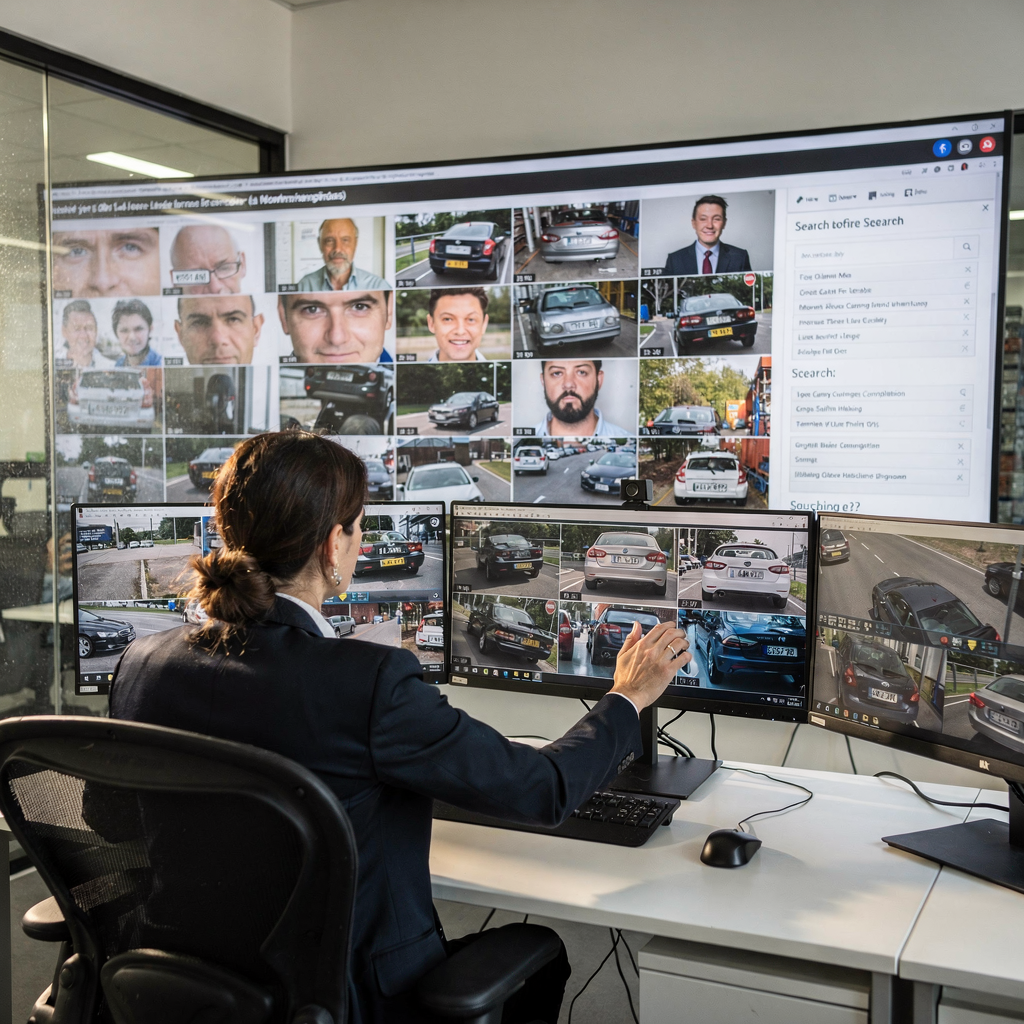
In a Genetec environment, axis forensic search for genetec and forensic search integration components can expose object tags directly in the VMS timeline. This makes object search and thumbnail presentation faster and easier for operators. The architecture may avoid the need for analytics servers in small sites, yet still allow scaling when needed. For larger deployments, analytics servers can aggregate results and present ranked search results inside the VMS. visionplatform.ai integrates with such flows and provides a Vision Language Model that converts detections into human-readable descriptions, which makes it easy to find scenes described in plain English.
Experts emphasise verification as part of the process. As Interpol states, “Video surveillance data is among the most valuable digital evidence types, but its utility depends on robust forensic search and verification methods to ensure reliability in court” (Interpol review). Therefore, smart search workflows pair AI tags with integrity checks and audit logs to preserve evidentiary value.
AI vision within minutes?
With our no-code platform you can just focus on your data, we’ll do the rest
Chapter 3: search for objects – classification of people or vehicles
Search for objects in recorded video depends first on robust object classification. Modern pipelines apply convolutional models to generate bounding boxes and labels. Based on axis object analytics and enables integration, systems can tag frames with person or vehicle classes, then index those tags for rapid retrieval. Object classification models label people and vehicles and can further refine by attributes such as clothing colour or type of vehicle. In practice, you might start by asking the system for “people in a scene wearing red shirts” or “type of vehicle that entered after midnight.”
Object classification is most useful when combined with motion object tracking. Tracking connects detections across frames and different cameras so operators can follow targets across zones. For a suspect on foot, a search for people or vehicles is adjusted to prioritise person tracks and gait, while for a moving car the system emphasises license capture and trajectory. Automatic ANPR/LPR workflows can extract a license string and match it to databases; see our ANPR examples for airport deployments at ANPR & LPR in airports. These examples show how plate reads speed a vehicle-centric investigation.
To reduce false positives, tune thresholds and anchor model outputs to site-specific reality. Use background subtraction settings, exposure compensation, and region-based sensitivity. Establish search criteria that combine time, appearance, and movement. When you analyse search result data, review a mix of high and medium confidence clips to refine thresholds. For some sites, a simple rule set and a single server suffice; for others, distributed analytics and extra hardware help scale. The goal is to make matches easy to find while preserving accuracy for court use.
Chapter 4: filter footage to refine search results and define area of interest
A well-designed filter strategy narrows thousands of hours into minutes of review. Filters include time windows, camera IDs, object labels, and bounding-box size. Use time-based filters to exclude irrelevant days, then add location filters to target the right camera’s field. A geographic area of interest inside a frame further reduces noise. Operators can draw polygons on the live view to constrain detection zones so results focus on doors, gates, or loading docks. These steps let teams quickly find the recorded video they need.
Genetec and similar systems expose filters through their VMS GUI, where thumbnails help visual prioritisation. Thumbnails show a representative frame per event, which is ideal for rapid triage. In many projects the metadata is based on axis tags, so indexes align regardless of camera brand. The interface should present search results ranked by confidence and time. Analysts then perform search investigations by reviewing the top matches, validating events, and exporting evidence.
Filtering also reduces storage IO and speeds queries. If search integration not only makes indexing faster but also reduces server load, you gain throughput and lower operational cost. Forensic users often need to share video evidence securely with partners. A secure export function must preserve timestamps, checksums, and chain-of-custody logs so that shared clips remain admissible. In airside environments, controlled exports and role-based access help meet compliance. Learn how people detection and perimeter analytics support focused searches in our people detection page.
AI vision within minutes?
With our no-code platform you can just focus on your data, we’ll do the rest
Chapter 5: vehicle tracking and incident analysis with camera
Vehicle tracking links detections across different cameras so investigators can reconstruct routes and timelines. A basic method uses license reads and timestamp correlation, then interpolates between cameras to fill gaps. More advanced flows fuse appearance features with trajectory models to track unlicensed targets. Correlating incident time-stamps with video evidence creates a verifiable timeline for reports. For example, in a speeding incident an operator can cross-reference radar data with camera streams and then produce a sequence of clips that document approach, pass, and exit.
Implementations vary. Small sites can rely on a single server and edge ANPR reads. Larger operations may route events through analytics servers that reconcile plate reads, location, and speed. In practice, the system will present matched thumbnails across cameras, which lets an analyst quickly step through the vehicle’s path. When sharing findings, maintain original checksums so that shared as evidence exports remain admissible in court.

A simple case study: a site used axis camera feeds to investigate a speeding complaint. The initial trigger came from an in-road sensor. The VMS then pulled clips from nearby streams and an AI pipeline identified the vehicle and read the license. The analyst created an incident report, attached the ranked clips, and shared the package with enforcement. That flow is typical and shows how systems can quickly find and verify a particular object in multi-camera networks. For large control rooms, visionplatform.ai offers VP Agent Search which turns natural language queries into forensic timelines, helping operators who begin with only a minimal number of known details.
Chapter 6: find the evidence – milestone integrations in smart cities with axis camera station
City-scale deployments aim to find the evidence fast while keeping systems manageable. Milestone integration patterns show how centralised indexing, cross-camera search, and event correlation scale to city needs. An end-to-end approach gathers events, enriches them with AI tags, then indexes them across a central store. This makes it possible to quickly find incidents across districts and to trace the movement of objects or people. For public safety, fast retrieval and high accuracy both matter.
axis camera station and Milestone VMS are common in municipal programs. When object analytics and enables search across many feeds, teams can reconstruct multi-block incidents using object types and timestamps. Search integration not only makes navigation simpler for operators but also reduces the need for analytics servers at every site. In smart cities, IoT convergence and cross-domain data help verify events. For example, ANPR reads can be matched with access control logs or garage sensors to build reliable timelines without the need for cloud video processing.
Large-scale programs achieve milestone achievements by combining robust devices, central VMS, and on-prem AI that respects privacy. Systems that are designed to accelerate forensic investigations can also preserve citizen rights by keeping video and models securely on local servers. As deployments grow, plan for plugin support, scalable server capacity, and policies for when recorded video should be archived or deleted. If you are building airport-grade solutions, review our vehicle detection and classification use cases and our intrusion detection examples to see how integration patterns work in complex environments.
FAQ
What is axis forensic search for genetec?
axis forensic search for genetec is a combined capability that links Axis device metadata with Genetec’s VMS timeline to enable rapid retrieval of events. It allows operators to search indexed tags such as persons, vehicles, and licence reads across recorded video.
How does smart search improve investigation speed?
Smart search uses AI to tag and rank relevant clips so analysts do not need to manually scrub hours of footage. As a result, teams can quickly find a sequence of events and focus on verification rather than time-consuming review.
Can systems distinguish people and vehicles reliably?
Yes. Modern object detection and object classification models label people and vehicles and can add attributes such as clothing colour or type of vehicle. Proper tuning reduces false positives while maintaining detection accuracy.
How do I set an area of interest for filters?
Most VMS clients let you draw polygons or boxes on a camera view to restrict detection zones. This reduces irrelevant triggers and makes search results more precise, which helps investigators quickly find the right clips.
Do I need extra hardware to run AI analytics?
That depends on scale. Small sites can run analytics at the edge without extra hardware, while larger programs may need additional GPU servers for model inference and indexing. visionplatform.ai supports scaling from edge devices to GPU servers.
How is video evidence shared securely?
Shared clips must retain timestamps, checksums, and audit logs to preserve chain of custody. Secure export tools in VMS platforms provide role-based access and encrypted transfers so evidence remains admissible and tamper-evident.
What role do analytics servers play?
Analytics servers aggregate and reconcile detections from many camera streams, enabling cross-camera tracking, correlation, and higher-level reasoning. They help when a site needs to analyze large volumes of video data in real time.
Can smart search work without models trained on my site?
Yes. Generic models can detect common object types, but site-tuned models reduce false alarms and improve recall. You can begin with pre-trained analytics and then refine them using local samples to boost performance.
What is the best way to track a vehicle across different cameras?
Combine ANPR reads with appearance features and timestamp correlation. Where license reads are unavailable, use trajectory and appearance matching to link the same vehicle across different cameras.
How do I maintain confidence in forensic outputs?
Keep immutable logs, checksums, and clear audit trails for all indexed events and exports. Also use validated AI models and human verification steps to ensure that final results meet the required confidence level.
