


video forensic search: key features
First, next, then, also, so, therefore, however, meanwhile, furthermore, additionally, consequently, finally. Bosch leads with a suite that integrates the Bosch Security Centre and BVMS forensic modules into one searchable environment. For investigators, this integration shortens inquiry cycles. For example, bosch reports that its tools can reduce analysis time by up to 90% when reviewing large archives reduce the time required to analyze video footage by up to 90%. This statistic supports rapid case progress. Also, the platform links camera metadata and rules, so teams locate evidence fast.
First, the BVMS forensic search modules let you index and query recorded streams across many sites. Next, IVA Pro supplies AI-driven detection for objects and events. Then, users can filter by person attributes, vehicle types, direction, or suspicious behavior. In addition, iva pro applies machine learning models at scale. Consequently, detection accuracy improves, which makes results reliable. In fact, bosch claims accuracy rates over 95% for object detection the AI algorithms used by Bosch achieve detection accuracy rates exceeding 95%. This claim helps justify deploying the suite in critical environments.
Also, the UI in the bosch security applications keeps workflows straightforward. First, operators open a case, then they select cameras, and finally they run a targeted forensic search. For complex incidents, the system can pull synchronized clips from multiple cameras. As a result, teams reconstruct timelines in minutes. Our work at visionplatform.ai often complements such setups. For instance, we add on-prem reasoning and natural language search to BVMS. This combination helps teams move from detections to context and action.
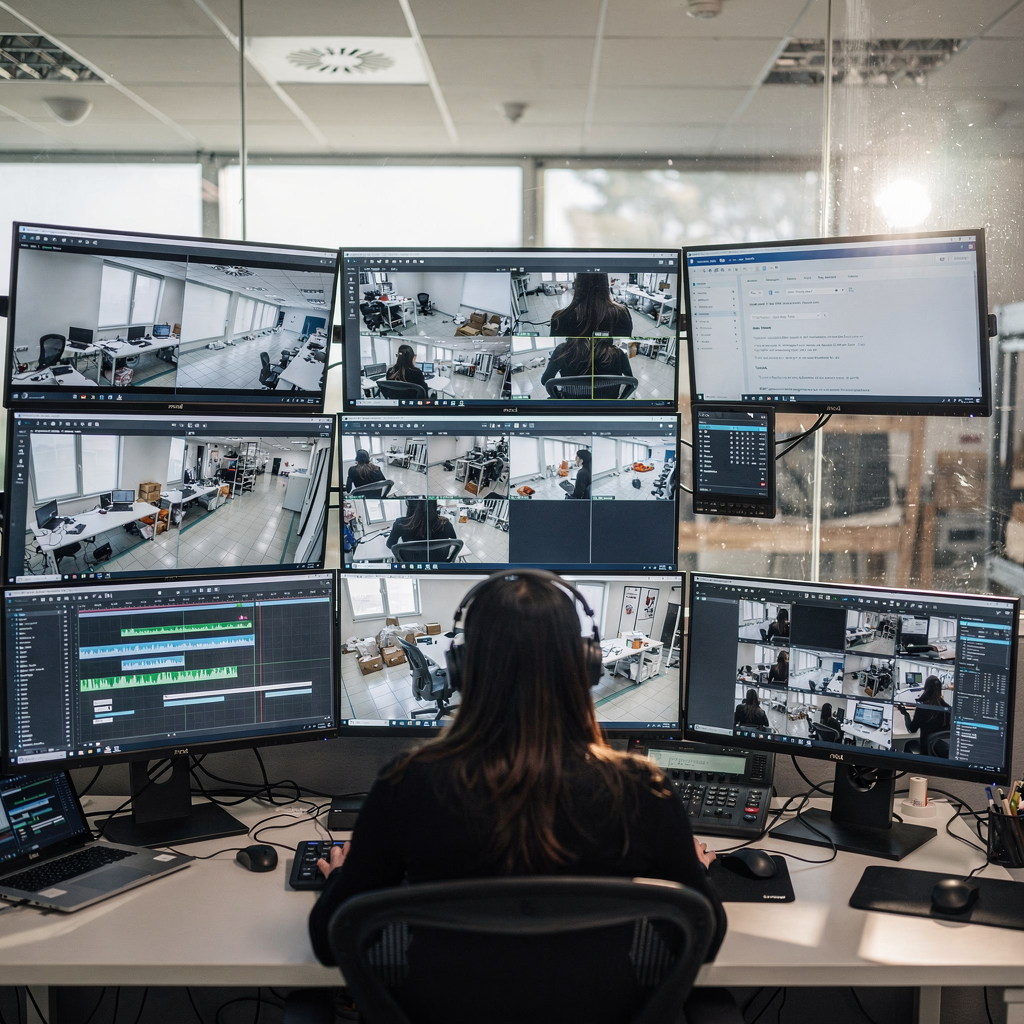
video analytics functions in Bosch platforms
First, next, then, also, so, therefore, however, furthermore, additionally, consequently, finally. Bosch embeds advanced video analytics into its platforms to detect faces, vehicles, and behaviors. For object and behavior detection, IVA Pro identifies people, license plates, and loitering patterns. In practice, investigators can flag a suspect crossing a threshold, then trace that person across cameras. Also, the platform supports rules for loitering and trespass. For airports and transit hubs, these capabilities mirror focused analytics such as loitering detection and ANPR/LPR functions. Read more about ANPR and LPR use cases on our ANPR page for airports ANPR and LPR in airports.
First, IVA Pro runs in real time to create alerts. Next, the forensic search applies the recorded metadata for retrospective analysis. Then, teams can decide whether an alert needs escalation. According to bosch, the platform can scale to petabytes of archived footage, which supports city-wide networks processing and indexing petabytes of video data. This scale matters for agencies with thousands of cameras.
Also, accuracy remains high. For instance, the reported 95%+ detection accuracy improves hit rates in search results the AI algorithms used by Bosch achieve detection accuracy rates exceeding 95%. Therefore, teams spend less time on false leads. Meanwhile, real-time alerts enable proactive responses, while post-event forensic search supports thorough investigation. Finally, when integration is required, bosch cameras and third-party feeds can feed IVA Pro and BVMS in the same workflow. Our visionplatform.ai tools add context and automated reasoning to these alerts, which helps operators decide faster.
AI vision within minutes?
With our no-code platform you can just focus on your data, we’ll do the rest
video metadata indexing and management
First, next, then, also, so, therefore, however, furthermore, additionally, consequently, finally. Bosch systems create rich metadata for each recording. IVA Pro tags objects, behaviors, time stamps, and camera locations automatically. As a result, search queries return precise clips. For example, the platform indexes object classes and trajectories so investigators can search by object type, behavior, direction, or zone. In practice, metadata generation is automated at ingest. Then, indexing starts. This process turns recordings into searchable assets fast.
First, the metadata schema captures attributes such as bounding boxes, confidence scores, and contextual labels. Next, the indexed records enable filters for time, location, object type, and behavior. Then, investigators narrow results with combined filters. In addition, BVMS keeps an auditable trail of who queried what and when. Consequently, audit logs help maintain chain of custody.
Also, metadata storage scales to support multi-site archives. For many agencies, the ability to retrieve a clip from months-old archives saves weeks. Bosch states that forensic search can cut review time by up to 90% reduce the time required to analyze video footage by up to 90%. In addition, visionplatform.ai complements metadata indexing by turning descriptive tags into natural language sentences. This approach lets operators query using plain speech, for example asking for “person loitering near gate after hours,” which maps to structured metadata and then returns matched clips. For more on loitering analytics in operational settings, see our loitering detection page loitering detection in airports.
video search workflow within BVMS
First, next, then, also, so, therefore, however, furthermore, additionally, consequently, finally. The typical workflow begins when an investigator opens a new case in BVMS. First, they log into the BVMS client. Next, they create a case folder and assign roles. Then, they select camera groups and set the search interval. After that, IVA Pro rules apply to the selected streams. Also, the system indexes results into the active case.
First, select cameras and set filters by time and area. Next, choose object classes such as person or vehicle. Then, refine by attributes like clothing color or vehicle color. In addition, multi-camera search synchronizes playback across different angles. This synchronization helps confirm identity and movement. Also, users can export clips and attach them to the case record for evidence. For chain-of-custody guidance, BVMS logs exports and user actions automatically.
Also, integration with the bosch security centre improves operational control. The bosch security centre links alarms, access control records, and the BVMS forensic results. Therefore, operators can correlate a door event with a matched clip. In practice, clear user roles help. Forensic analysts get read and export permissions. Supervisors receive audit privileges. Investigators obtain search rights. At visionplatform.ai, we recommend defining these roles before incidents occur. This step reduces delays and improves compliance when presenting evidence in court. For organizations that also use ANPR workflows, see our ANPR documentation to align vehicle searches ANPR and LPR in airports. When teams prefer Milestone integrations, BVMS can work alongside Milestone and other VMS through standardized connectors. For more integration patterns, review Milestone and partner approaches forensic search in airports.
AI vision within minutes?
With our no-code platform you can just focus on your data, we’ll do the rest
video tutorial walkthrough
First, next, then, also, so, therefore, however, furthermore, additionally, consequently, finally. The public tutorial shows a stepwise demo of forensic search. First, the instructor opens a case. Next, they pick cameras and set an initial IVA Pro rule. Then, they run the search and inspect matched clips. The tutorial highlights how to refine criteria to reduce false positives. It also shows how to play synchronized clips across multiple camera angles.
First, configure IVA Pro rules for the event of interest. Next, set thresholds and confidence levels. Then, apply spatial masks to ignore irrelevant zones. For example, exclude busy sidewalks while focusing on access points. Also, the demo demonstrates exporting clips and attaching them to incident reports. The presenter quotes Bosch’s mission: “Our goal is to empower law enforcement with tools that not only speed up investigations but also improve the accuracy and reliability of evidence collection” “Our goal is to empower law enforcement with tools that not only speed up investigations but also improve the accuracy and reliability of evidence collection”. This quote clarifies the vendor intent.
Finally, the tutorial covers multi-camera review and playback. It shows case tagging and report generation. Also, it walks through refining IVA Pro rules and saving them as templates. The platform demo acknowledges scalability, since it handles large archives without slowing search processing and indexing petabytes of video data. For wider audiences, a related clip exists on youtube that summarizes core capabilities. For airport-specific workflows, see our pages on people detection and perimeter breach detection to align tutorial steps with operational checks people detection in airports and perimeter breach detection in airports.
video forensic best practices
First, next, then, also, so, therefore, however, furthermore, additionally, consequently, finally. Maintain evidence integrity by following strict chain-of-custody rules. First, restrict export permissions and log every extraction. Next, apply read-only access to original recordings. Then, produce checksum logs for each exported clip. Also, store audit trails within the bosch security platform to support admissibility in court.
First, define retention policies that comply with local law. Next, segment archival storage so investigators find months-old clips quickly. Then, perform regular health checks on your storage indexes and metadata integrity. In addition, tune IVA Pro rules for the site. For example, reduce false alarms by adjusting sensitivity and adding exclusion zones. Also, improve speed by indexing during low-traffic hours. Consequently, searches run faster during investigations.
Also, combine automated forensic search with human verification. The AI returns ranked clips, and analysts confirm hits. This hybrid method lowers false positives and supports legal compliance. For legal reporting, create standardized templates that list search criteria, filters, and confidence thresholds. Finally, keep a documented audit trail showing who ran each search and why. For teams that want natural language search and reasoning on top of BVMS, visionplatform.ai offers on-prem VP Agent Search. This agent turns plain English queries into structured searches and helps investigators “use forensic search” without needing camera IDs. For process examples tailored to airports, consult our forensic search in airports guidance forensic search in airports.
FAQ
What is Bosch forensic search?
Bosch forensic search is a set of tools that index recorded streams and enable targeted retrieval. It pairs IVA Pro analytics with BVMS to help investigators find clips based on object, behavior, time, and location.
How much time can forensic search save?
Bosch reports it can reduce review time by up to 90% in many cases reduce the time required to analyze video footage by up to 90%. This figure varies by archive size and rule configuration.
How accurate are IVA Pro detections?
Bosch states that its AI algorithms achieve detection accuracy rates exceeding 95% for many object types the AI algorithms used by Bosch achieve detection accuracy rates exceeding 95%. Accuracy depends on camera placement and rule tuning.
Can BVMS handle large archives?
Yes. Bosch reports the system can process and index petabytes of data without major performance loss processing and indexing petabytes of video data. Proper storage architecture and indexing are essential.
How do I ensure chain of custody?
Limit export rights, maintain audit logs, and generate checksums for exported clips. Also, document each search and include the applied filters and confidence thresholds in reports.
Can Bosch systems integrate with other VMS platforms?
Yes. BVMS and the bosch security centre can operate alongside third-party systems through standard connectors. For Milestone integrations, consider bridging workflows and shared metadata strategies.
What role does metadata play in searches?
Metadata turns recordings into searchable assets by tagging objects, behaviors, timestamps, and locations. Accurate metadata speeds retrieval and improves result relevance.
How do I tune IVA Pro for fewer false alerts?
Adjust confidence thresholds, apply exclusion zones, and refine rules for site-specific behaviors. Also, validate rules during quiet hours to ensure they reflect normal activity.
Does visionplatform.ai work with Bosch deployments?
Yes. visionplatform.ai complements BVMS and bosch security solutions by adding on-prem reasoning, natural language search, and AI agents. This integration improves context, reduces false alarms, and speeds decision-making.
Where can I find tutorial material?
Bosch publishes demos and tutorials that walk through case creation, IVA Pro configuration, and multi-camera playback. For a quick summary, a related clip exists on youtube that outlines the workflow and best practices.
