


axis camera station: end-to-end video analytics for operational efficiency
Axis Camera Station is a complete VIDEO MANAGEMENT platform that turns streams into useful operational data. It runs on Axis servers and integrates with Axis network devices to provide end-to-end surveillance and operational workflows. By combining edge processing and centralized management, the solution helps teams reduce manual review and speed response. For example, Axis reports that embedded AI analytics can cut manual video review by over 50% which frees teams to focus on critical events Axis Communications.
Edge-based analytics run inside the camera. This reduces network load and lowers latency. It also reduces the need to stream continuous high-resolution footage across the axis network. As a result, organizations save bandwidth and storage costs while keeping real-time events local. Edge processing means many detections happen before video ever leaves the camera, so the system scales without heavy backend compute.
This architecture improves operational efficiency in tangible ways. First, it lowers bandwidth use by sending only relevant metadata and clips. Second, it shortens the alert path so guards and operators receive immediate messages. Third, it reduces false alarms thanks to smarter models that analyze context and behavior. These gains matter in large deployments where dozens of Axis cameras stream continuously.
Visionplatform.ai works alongside Axis systems to turn existing CCTV into an operational sensor network. We stream structured events so security and operations teams gain valuable insights and can make informed decisions across sites. Our approach keeps data on-premise and supports GDPR and EU AI Act readiness by design. This lets teams automate routine checks and respond to real-time events with confidence.
To get started, an installer will register Axis devices in the VMS, enable camera analytics, and set rules in the web interface. The process is straightforward and avoids long uptime windows for configuration. For more complex sites, technical support and Axis site designer assist with placement and network planning. Together, these tools help deliver measurable operational efficiency and a clear route to scalable solutions.
axis cameras and compatible products: easy access to actionable insights
Axis cameras have a broad portfolio of models with built-in processing power. Many Axis cameras support ACAP and can run analytic applications directly on the device. This gives operators easy access to actionable insights at the point of capture. The analytics that run on these cameras include people and vehicle detection, crossline counting, and occupancy measurements, among other features.

Installing an ACAP analytic on an Axis device is often plug-and-play. Many analytic modules come preinstalled on compatible Axis units so installers only enable them in the camera web interface. That means you can set up scenarios quickly. For example, cross a virtual line to count entries and exits and immediately collect counting data for reporting. An Axis camera can count objects that cross a configured line and stream that summary to the Axis Camera Station dashboard.
Third-party vendors also publish certified solutions that interact with Axis Camera Station. Products such as AiDANT and VEZHA deliver specialized features like patient-safety monitoring and perimeter protection. These integrations make it easier to extend the platform for specific sites and workflows. If you need vehicle detection or types of vehicles classification, those analytic modules are available and certified for integration with Axis Camera Station Third-party solutions to optimize your AXIS Camera Station solution.
Installers appreciate minimal configuration. Basic features work out of the box and advanced settings let operators tailor behavior for peak hours or quiet times. The platform supports PTZ cameras alongside fixed models, so you can monitor wide areas and zoom in when an analytic flags an event. For larger projects, Axis Camera Station Pro and Axis site designer speed up device selection and placement. Overall, Axis cameras and compatible products make easy access to actionable insights practical for many organizations.
AI vision within minutes?
With our no-code platform you can just focus on your data, we’ll do the rest
dashboard and metadata: actionable insights with no extra cost
Metadata is the backbone of intelligent surveillance. When an analytic runs on the camera, it tags frames with structured information such as object type, size, and trajectory. That metadata flows into the Camera Station dashboard where operators see counts, heatmaps, and event overlays. This lets staff visualize the data and react faster than with raw video alone.
Many analytics features are available without an added license on ACAP-enabled models; the analytics comes preinstalled on compatible Axis cameras. That lowers cost and shortens deployment time. For instance, basic people counting and crossline counting are often preinstalled and only require activation. As a result, teams gain value at no extra cost and receive early ROI from their axis cameras.
Rule-based alerts transform metadata into actions. You can set up rules to alert guards when an analytic detects loitering, tailgate attempts, or when objects have crossed the line in restricted areas. The system can set up automatic responses such as PTZ tour activation or pushing messages to an event management system. This level of automation reduces the need for manual monitoring and makes the surveillance system proactive.
The dashboard is also the place to combine video and business data. For operational teams, counting data can feed occupancy dashboards used by facilities managers. For security teams, overlay views show selected objects and trajectories so evidence review is faster. If your site needs tailored to your specific needs, the camera web interface and management software let you configure visualizations and export analytic logs for auditing.
For more advanced forensic work, Visionplatform.ai provides search and structured streaming that complements Camera Station metadata and helps operators find events quickly. Our platform integrates seamlessly with major video management systems and supports ONVIF. Together, these tools improve situational awareness and make analytics practical for everyday operations.
third-party analytics and acap: value at no extra cost
The AXIS Camera Application Platform (ACAP) lets developers run analytic code on Axis cameras. ACAP supports a wide ecosystem of analytic vendors and makes it easy to add capabilities without changing the overall architecture. ACAP is the gateway to third-party offerings that broaden what each camera can do.
Third-party analytic packages include solutions for retail queue management, patient safety, and industrial monitoring. For example, VEZHA adds perimeter-focused behaviors while AiDANT focuses on healthcare workflows. These integrations allow teams to expand core capabilities without replacing hardware. Many analytic modules are preinstalled or available as simple downloads, which means you get value at no extra cost for core features.
ACAP also allows you to run BriefCam-style summarization and other analytic types on the edge. This keeps video on site and avoids sending sensitive footage to cloud services. As a result, you maintain control of data and reduce compliance risk. Visionplatform.ai follows the same approach by offering on-prem and edge deployments. Our models run on site, and we stream structured events so operations systems and BI tools can use the data in real time.
To integrate a third-party analytic, deploy it via the camera web interface and pair it with rules in Axis Camera Station. The integration with Axis Camera Station supports event routing to your VMS and can feed an event management system or MQTT topic. This lets teams automate responses and create workflows that reflect daily operations. If you need vendor help, technical support from Axis and certified integrators assists with firmware updates and compatibility checks.
Finally, the ACAP model ensures solutions make it easier to scale. Edge compute reduces backend load and lets you add cameras incrementally. For organizations that want scalable solutions, ACAP and the Axis ecosystem provide a clear path to expand analytic coverage while keeping costs predictable.
AI vision within minutes?
With our no-code platform you can just focus on your data, we’ll do the rest
axis site designer and related resources: enabling easy access
Axis Site Designer is a planning tool that helps design camera placement, network paths, and power budgets. Use it to model field-of-view, coverage, and line-of-sight so you avoid rework during installation. The tool also suggests Axis cameras and compatible products to meet project goals. It speeds planning and helps ensure each axis device delivers useful data from day one.
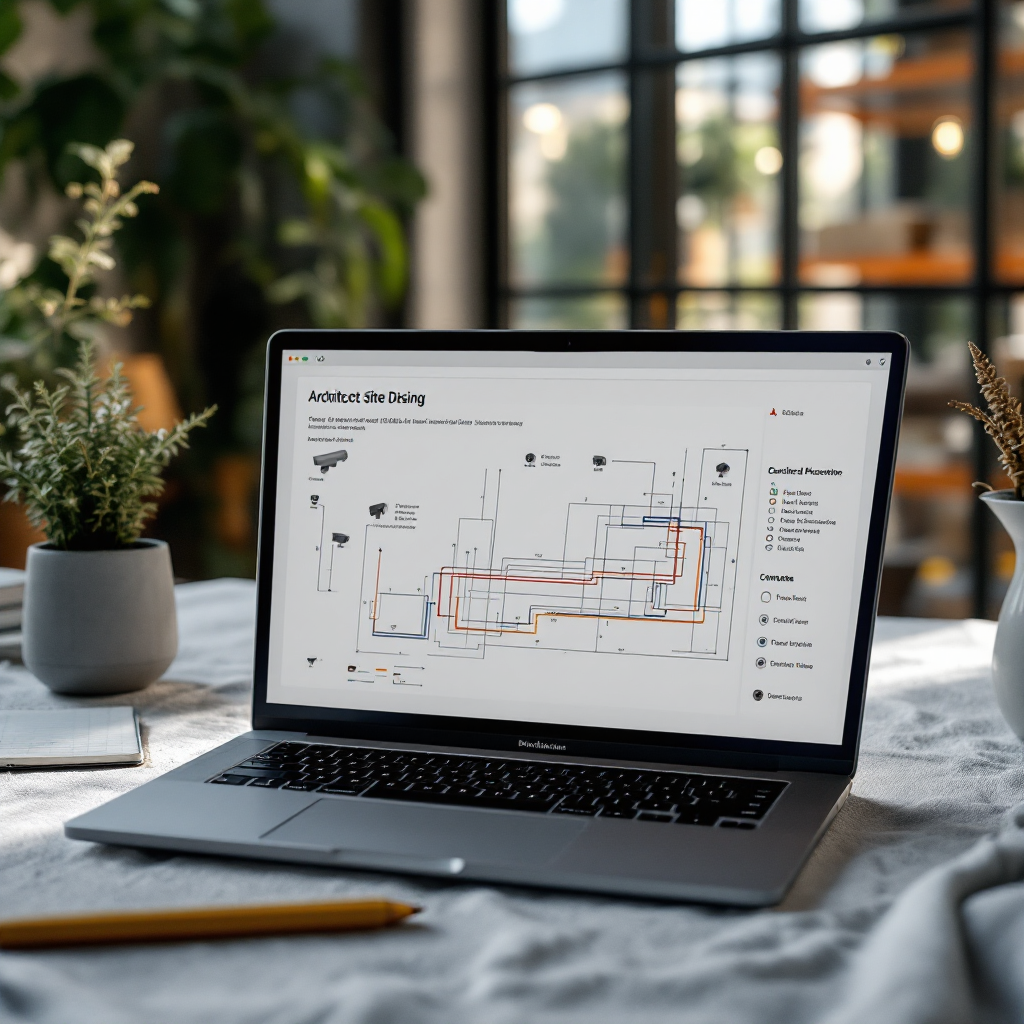
Related resources include technical guides, best-practice whitepapers, and community forums where integrators share lessons learned. These related resources reduce risk and shorten migration time. If you need step-by-step help, the Axis documentation and Visionplatform.ai guides demonstrate how to configure analytics, set up rules, and export metadata for dashboards.
Project tips make deployment faster. First, define objectives and choose analytics that support operational efficiency such as crossline counting or vehicle detection. Second, run site surveys and use Axis Site Designer to identify ideal mounting points. Third, test analytics during a pilot phase and tune thresholds to your environment. This process supports a smoother roll-out and reduces false alarms.
For organizations with complex needs, technical support from Axis and certified partners helps with firmware updates and compatibility checks. Visionplatform.ai can assist with model selection and custom classes so the analytic matches your site. We help teams improve accuracy by using VMS footage and keeping retraining local, which speeds iteration and preserves privacy.
Finally, plan for scale. Select higher tier cameras where you expect heavy traffic and use edge-based analytics to streamline backend load. That approach delivers scalable solutions and keeps operational models consistent across sites. With the right planning, you gain easy access to actionable insights quickly and reliably.
camera and access to actionable insights: easy access to actionable insights
Imagine a live scenario where an Axis camera detects movement at a loading dock. The analytics classifies the object as a person and a vehicle, then the camera tags the metadata and pushes an event to the Camera Station dashboard. The operator sees a visual overlay and an alert within seconds so they can respond. This simple flow turns raw video into meaningful signals and improves response times.
In practice, the camera detects and classifies humans and vehicles, then streams structured metadata to the VMS. Axis Camera Station receives that stream and displays it in the user interface. Operators can then filter by selected objects, review short clips, and export evidence. This sequence reduces the steps needed to act and helps teams make informed decisions based on real-time events.
Counting features work the same way. A camera set to cross a virtual line counts objects that cross and reports counts to the dashboard. That data becomes counting data for operations or occupancy reports for facilities managers. You can also configure rules to alert when counts exceed thresholds, or when a tailgate event occurs at an access control gate.
The web interface and dashboard combine video and metadata so the operator sees overlays, trajectories, and event lists in one place. This user interface supports quick triage and faster investigation. If you require more advanced analytics, integration with third-party applications or Visionplatform.ai can stream events into business systems via MQTT, turning cameras into operational sensors.
To set this up, register cameras in ACS or your chosen VMS, enable edge-based analytics, and configure rules in the management software. The minimum set up and supports various devices and common scenarios, which speeds deployment. With the right mix of cameras, analytics applications, and planning, you get a surveillance system that helps you automate routine tasks and focus on incidents that matter.
FAQ
What is the benefit of adding AI analytics to Axis Camera Station?
Adding AI analytics improves detection accuracy and cuts down the time required for manual review. It also reduces bandwidth and storage needs by moving processing to the edge, helping teams act on real-time events faster.
Which Axis cameras support analytics?
Many modern Axis cameras support ACAP and come with preinstalled analytic modules. Check model specifications in Axis documentation or use Axis Site Designer to select compatible products for your project.
Can third-party analytics integrate with Axis Camera Station?
Yes. ACAP enables third-party analytic applications like AiDANT and VEZHA to run on Axis devices and integrate with Camera Station. These integrations expand functionality for specific use cases.
Does adding analytics require cloud processing?
No. Edge processing runs analytics on the camera, keeping video on-premise and reducing cloud dependency. This supports compliance and lowers ongoing operational costs.
How do I get counting data into operational dashboards?
Configure crossline counting or occupancy analytics on the camera and route the counting data to the Camera Station dashboard. You can then export metrics or stream events via MQTT to BI tools.
Will analytics increase my bandwidth usage?
Usually analytics reduces bandwidth because cameras send metadata and short clips instead of continuous high-resolution streams. This streamlining makes deployments more scalable.
What if I need customised object classes?
Platforms like Visionplatform.ai offer flexible model strategies so you can train models on your own footage. This lets you tailor analytics to site-specific objects and improve detection accuracy.
Are analytic modules expensive to add?
Many core analytics come preinstalled on compatible Axis models, offering value at no extra cost. Advanced modules or third-party packages may have licensing fees, so check vendor licensing terms.
How do I troubleshoot analytic performance?
Start with a site survey and verify camera placement using Axis Site Designer. Then tune thresholds in the web interface and consult technical support if firmware updates or compatibility checks are needed.
Can analytics feed other business systems?
Yes. Analytic events can stream to MQTT, webhooks, or event management systems so operations, OT, and BI platforms can consume them. This turns cameras into sensors that support broader operational workflows.
