


Chapter 1: How an AI assistant enhances vms workflow
An AI assistant can streamline VMS workflows by taking on repetitive data tasks. First, it handles semi-automated data wrangling so users spend less time on manual updates. Next, the human provides corrections and the AI refines records. As a result, data quality improves and teams respond faster. Studies show that semi-automated data wrangling can cut manual effort by up to 40% (40% reduction). Therefore, teams move to higher-value work. In addition, AI assists in mapping and normalizing vendor records. Then, a VMS interface shows unified supplier profiles. This reduces duplicate entries and boosts reporting accuracy. For example, a real-time integration with live feeds lets managers track vendor performance and compliance as events unfold. Real-time data lets supervisors spot trends faster. Furthermore, that same integration feeds dashboards and alerts, and it allows quick drill-downs into incidents. A platform like visionplatform.ai extends this idea by converting video detections into searchable descriptions so operators can reason over events and vendor actions. In that setup, the VP Agent exposes VMS events as data the AI can query. Thus, alarms gain context and teams decide with confidence. The workflow gains speed, accuracy, and auditability. Likewise, AI models help classify vendor entries, tag contracts, and fill missing fields. Consequently, compliance checks run automatically. Additionally, automated recommendations suggest contract renewals and escalation steps. The approach works best when teams define clear entity schemas and schema coverage. For that reason, brands that standardize data fields appear more prominently in AI answers and recommendations (AI Optimization Services). Finally, the human-in-the-loop pattern keeps control with the user. Then, the VMS becomes not just a data store but an active assistant that helps monitor vendors, verify incidents, and produce quick answers when they matter.

Chapter 2: Automate scheduling and calendar tasks with a virtual assistant
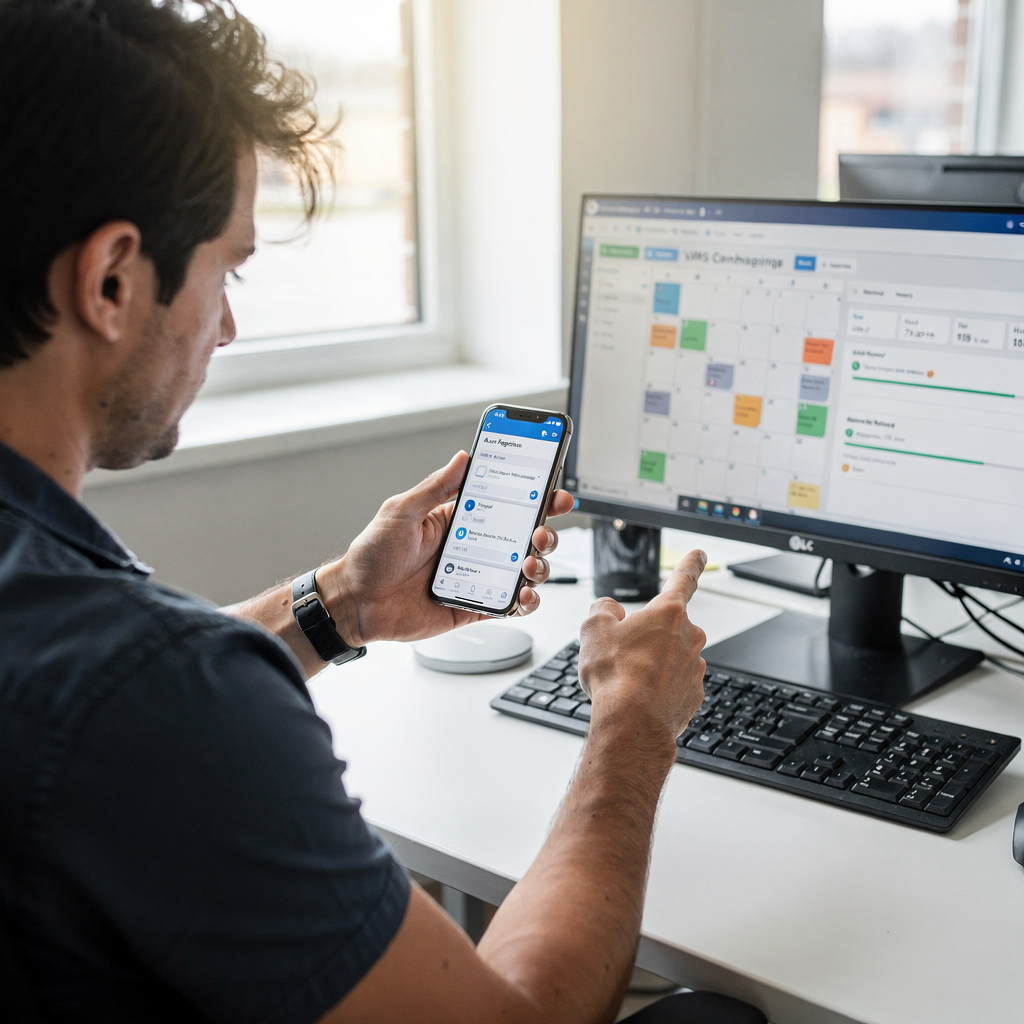
Scheduling in a VMS can be tedious. However, an AI virtual assistant can automate many calendar chores. First, it syncs shifts, interviews, and reminders into a single interface. Then, users see availability and conflicts at a glance. The assistant reads calendar data and suggests the best slots. It can also find the best time across teams when required. For example, AI-powered scheduling can propose meeting times that respect personal commitments and role-based permissions. This reduces back-and-forth and helps uninterrupted focus time for decision makers. A case study showed that AI suggestions cut meeting set-up time by about 30% when assistants suggested times and handled confirmations (30% faster meeting set-up). In practice, the assistant adds agenda summaries and relevant documents to the invite. Then, it posts reminders to participants and to the calendar. Additionally, it can reschedule when conflicts arise. The assistant speaks in natural language and shows options in the calendar UI. For hybrid teams, it integrates with Microsoft 365 and Zoom so interview links and participant lists appear automatically. Also, integration with project management tools such as Asana or ClickUp helps align tasks with scheduled sessions. Best practices include short confirmation workflows and clear prompts. For example, prompt templates ask: “Confirm interview with Vendor X on Tuesday at 10.” This reduces ambiguity and speeds acceptance. Furthermore, schedule confirmations should surface role-based permissions and privacy constraints, especially for sensitive vendor meetings. For long-term use, train the AI on company calendar policies and block times for personal commitments. Finally, a simple opt-in and an audit trail keep admins in control, and an AI personal assistant can enforce rules while it helps boost your productivity.
AI vision within minutes?
With our no-code platform you can just focus on your data, we’ll do the rest
Chapter 3: Using an AI agent and agentic AI for data wrangling on a unified platform
An AI agent brings agentic AI behavior to VMS data management. First, define clear entity schemas to boost answer accuracy and coverage. Clear schemas mean vendor records, contract fields, and service categories map consistently. Then, an ai agent refines vendor records with minimal human input. It standardizes names, merges duplicates, and flags missing licensing or compliance documents. As a result, downstream analytics run on clean inputs. In practice, agentic AI can propose merges and then ask for approval. The human-in-the-loop model preserves control and speeds governance. Additionally, a unified platform that exposes VMS data, event logs, and video descriptions creates one source for requests, updates, and reports. For example, visionplatform.ai’s VP Agent exposes Milestone XProtect data as a real-time datasource for AI agents. That exposure lets agents reason over video events and VMS metadata together. Thus, operators benefit from contextual verification and guided actions. Agentic AI also helps generate TL;DR summaries, Q&A responses, and dynamic tables for vendor dashboards. Those answer-pattern formats improve discoverability and decision speed (AI Optimization Services). Moreover, AI capabilities extend to predictive analytics where agents forecast vendor risk and compliance lapses. Some organizations report a 25% improvement in vendor risk mitigation after adding AI-driven insights to their VMS processes (25% better risk mitigation). For secure deployments, the unified platform keeps video and metadata on-prem while offering APIs and webhooks for integrations. That approach supports audit trails and role-based permissions. In addition, a single platform reduces context switching and data leakage. Finally, this model scales: as vendor volumes rise, agents handle routine updates and generate exceptions for human review, making the operation more scalable and resilient.
Chapter 4: Integrating Google Assistant, Siri and Microsoft Copilot into your vms
Voice-driven commands can speed hands-free vendor queries. For example, teams can ask Google Assistant or Siri for a vendor status while they inspect feeds. In addition, Microsoft Copilot offers deep integration with Microsoft 365 and company documents. Each tool has trade-offs in response speed and accuracy. Google Assistant often returns quick answers for calendar and inbox queries. Siri works well on phones for ephemeral checks. Microsoft Copilot can summarize emails and documents and present them inside a management system that links to Microsoft 365. Meanwhile, security must be a priority when linking conversational agents to sensitive data. Role-based permissions and careful API controls keep access restricted. For instance, visionplatform.ai keeps video models and reasoning on-prem, which reduces cloud exposure and supports EU AI Act alignment. When you integrate voice agents, design confirmation steps for critical actions. The assistant should repeat the requested action and request authorization before changing schedules or releasing documents. In addition, provide logs and an audit trail for every voice command that touches VMS records. A comparison of tools shows that conversational accuracy depends on the dataset and the AI models behind each assistant. Open models such as ChatGPT excel at natural language processing and summarization, while native assistants tie into device-specific features. For hands-free workflows, combine voice triggers with a secure UI confirmation. For example, say “Reschedule meeting with Vendor A” and then get a confirmation prompt on the calendar. That pattern prevents accidental changes and supports troubleshooting. Finally, consider vendor discoverability and permission scopes when you integrate voice-driven agents into your VMS.
AI vision within minutes?
With our no-code platform you can just focus on your data, we’ll do the rest
Chapter 5: Exploring the Best AI tools: ChatGPT, Gemini and Alexa in a management system
Choosing the best AI tools starts with use cases. First, determine whether you need quick answers, predictive insights, or summarization features. ChatGPT provides strong natural language understanding and can summarize long vendor reports. Gemini also offers advanced capabilities for conversational workflows and multimodal inputs. Alexa is useful for voice-driven tasks in hands-free environments. Each tool can summarize meeting notes, produce TL;DR summaries, and format answers in Q&A or table forms to speed review. For vendor discoverability, AI optimization and good metadata matter. Brands with clear entity definitions and schema coverage appear more often in AI-generated answers (AI Optimization Services). In operations, ai-driven dashboards can surface vendor risk and compliance alerts. Moreover, predictive insights from ai models can improve vendor risk mitigation by roughly 25% in some implementations (25% improvement). In addition, agents can prepare dynamic tables and export them to BI tools via APIs. Use ai virtual assistants for routine queries and then escalate complex tasks to specialists. For integration, map how data flows between the management system and external AI tools. Ensure the API layer enforces role-based permissions and data retention policies. Also, align privacy requirements with cloud or on-prem deployment choices. For example, visionplatform.ai emphasizes on-prem Vision Language Models so video and metadata remain in your environment. That design reduces privacy risk and supports compliance. Finally, test the tools with real vendor data and refine prompts. When you use ai tools, you get better summaries, faster decision cycles, and improved user experience. Overall, pick the tool that matches the task, balance speed and accuracy, and plan for scaling as vendor volume grows.
Chapter 6: Frequently asked questions about AI personal assistant and Notion AI in a vms
Users often ask about privacy, accuracy, and onboarding. First, data privacy must be explicit in contracts and in technical design. Visionplatform.ai keeps video and models on-prem to limit external exposure. Next, training overhead varies. Notion AI or other assistants need prompt sets and sample data. Also, common troubleshooting steps resolve integration errors quickly. For troubleshooting, check API credentials, verify role-based permissions, and review logs. Additionally, you can test prompts in a sandbox before production. Users also ask whether AI transforms workflows overnight. AI speeds processes, yet human oversight remains essential. In practice, start with focused pilot projects to prove value. Finally, plan for maintenance. AI models require monitoring and occasional retraining. Overall, a clear governance plan and measurable KPIs make adoption predictable.
Common concerns include the accuracy of natural language processing and the risk of hallucinations. Use curated training data, and add validation rules for critical fields. Also, provide quick answers for routine queries while flagging uncertain results for review. For proactive alerts, agents can surface suggestions based on historical patterns. In addition, integrate with project management tools like Asana and ClickUp so tasks and meetings stay aligned. For calendar work, assistants can propose times, find the best time, and reschedule when conflicts appear. Finally, use role-based permissions, audit trails, and clear escalation policies to keep operations safe and scalable.
FAQ
What is an AI assistant in a VMS?
An AI assistant is software that helps users manage vendor records, schedules, and alerts. It automates data cleanup, summarizes reports, and suggests next steps while keeping humans in control.
How much time can AI save on data wrangling?
Research shows AI can cut manual data work by up to 40% in semi-automated workflows (40% reduction). This frees teams to focus on strategy and exception handling.
Can a virtual assistant manage calendar and scheduling?
Yes. A virtual assistant can sync shifts, interviews, and reminders into one calendar interface. It can also suggest meeting times and handle confirmations to speed scheduling meetings.
Are voice assistants like Google Assistant and Siri safe for VMS data?
They can be safe if you apply strong role-based permissions and API controls. For sensitive video or metadata, an on-prem option reduces cloud exposure and supports compliance.
How do I choose the best AI tool for vendor summaries?
Start with the task: if you need concise summaries, tools with strong natural language processing like ChatGPT perform well. Test candidate tools on real vendor documents before committing.
What is agentic AI and how does it help?
Agentic AI acts on tasks with limited human input. In a VMS, it can refine records, suggest merges, and flag risks while asking for approvals for risky actions.
How do I handle troubleshooting for AI integrations?
Common troubleshooting steps include checking API keys, verifying permissions, and reviewing logs. Also, run prompts in a sandbox and record errors for iterative fixes.
Can AI improve vendor risk mitigation?
Yes. AI-driven insights and predictive models have improved vendor risk metrics by about 25% in reported cases (25% improvement). They detect trends faster and surface anomalies early.
Is Notion AI suitable for VMS tasks?
Notion AI can help with notes, summaries, and simple automation, but for VMS-grade reasoning over video and event data, a specialized platform or on-prem model is preferable.
How do I keep an audit trail when using AI agents?
Log every action the agent takes, require confirmations for critical steps, and store event metadata centrally. Role-based permissions and retention policies ensure traceability and compliance.
