


How forensic search optimises surveillance and your video management system
Large-scale video surveillance creates a major bottleneck for teams and for investigators. Operators watch streams and rewind hours of recorded images. This process wastes time and distracts staff from proactive tasks. Forensic search changes that. It uses AI to index, tag, and retrieve relevant clips fast, so an investigator finds items of interest without slow manual review.
Manual review struggles when the number of cameras and the volume of recorded content grow. Many control rooms face thousands of hours of unsearched video. For example, AI-driven forensic search can reduce review time by up to 80% (Genetec report). This statistic shows why teams need intelligent search and faster workflows.
Forensic search integrates with a video management system and with existing metadata. It lets operators run queries by object type, color, or movement. This reduces the need for repetitive playback. Investigators can refine a query with a simple filter and get a precise search result. The system supports natural language and structured queries, so even staff without deep technical skills can search for evidence quickly.
visionplatform.ai complements this approach by turning cameras into AI-assisted operational systems. Our VP Agent Search converts video into human descriptions, which lets operators search in natural language. For instance, a user can ask for “Person loitering near gate after hours” and retrieve the matching video clips. The result saves time, improves situational awareness, and helps investigation teams act faster.
To explore targeted airport scenarios, see our forensic search in airports documentation at forensic search in airports. For perimeter-focused workflows, consult our loitering detection resource at loitering detection in airports. These references show how forensic search integration supports physical security and streamlines operational decision-making.
Exploring features and benefits of AI-driven video analytics and analytics insights
AI-powered analytics boost detection and reduce false alarms. Modern models report object detection accuracy rates exceeding 90% (Hanwha Vision). These figures matter because they lower the time operators spend validating alerts. They also improve trust in automated workflows.
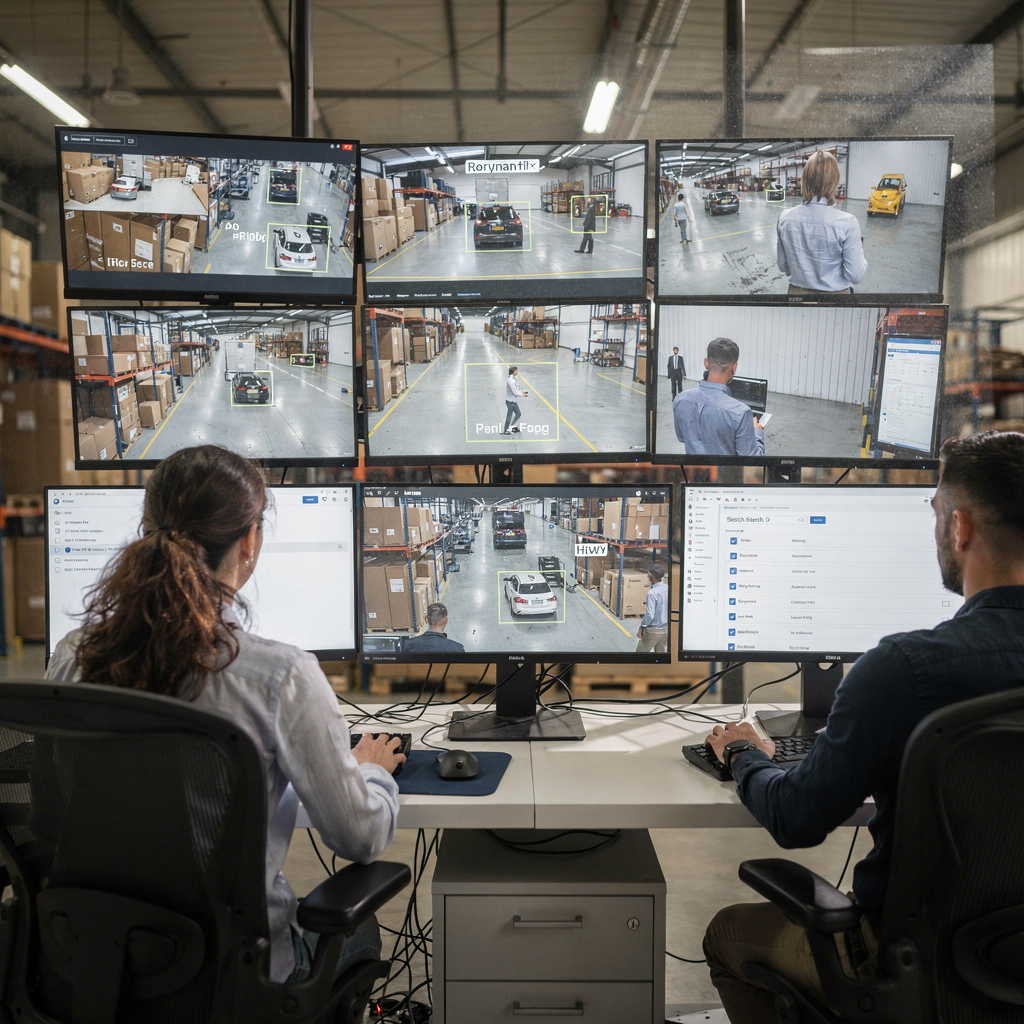
Behaviour analysis adds contextual value. The system flags loiter, unauthorised access, and intrusion patterns. It also supports motion object tracking and object classification so teams can filter by object classes. As a result, teams can pinpoint events such as someone entering restricted zones, or a vehicle reversing in a delivery bay. AI lets staff focus on fast incident response, not on sifting raw video.
AI-driven tools offer practical features and benefits. They perform automated tagging and metadata extraction, and they index recordings for quick retrieval. Analysts get structured descriptions that turn visual events into searchable text. This capability allows evidence-based actions without the need for analytics servers for every camera. In many deployments, edge-based models reduce bandwidth and central server load while still providing rich metadata.
Video analytics also supports resource allocation. With reliable detections, managers route investigation teams to incidents with the highest priority. They can reduce false alarms and reorganize patrols. A security team therefore spends less time chasing noise and more time on confirmed threats.
For integrated transit and LPR examples, see our work on license plate recognition at ANPR/LPR in airports. If you need perimeter or PPE examples, our pages on intrusion detection and PPE detection provide practical contexts intrusion detection and PPE detection.
AI vision within minutes?
With our no-code platform you can just focus on your data, we’ll do the rest
Leveraging genetec security center for seamless integration and video management
Genetec Security Center offers a unified platform to combine video, access control, and analytics data. It gives operators a single console for broader situational awareness and forensics. The platform supports open architecture and works with many third-party integrations. This lets sites integrate existing systems and scale without vendor lock-in.
Integration reduces manual steps. For example, when video alarms link to access control events, an operator can see card-reader activity alongside video. They then make faster and better decisions. Genetec Security Center supports LPR, so you can correlate license plate recognition events with people detections and stream alerts to response teams. This level of integration helps teams centralize evidence and maintain clear audit trails.
The platform also supports Security Center SaaS and hybrid models. Customers can adopt cloud features while keeping sensitive data on-prem. Genetec promotes a flexible deployment model, and third-party plugins extend functionality. When you integrate an intelligent search into Genetec Security Center, you enhance both search speed and contextual analysis. This improves investigative workflows and reduces case cycle time.
To implement a combined approach, start by mapping workflows and by specifying which events require rapid escalation. Then configure roles, alarms, and the search filters operators use most. An intuitive interface matters here because it reduces operator fatigue and improves accuracy. The Genetec console lets users save searches and replay matched video, which is essential when sharing video evidence for legal use.
visionplatform.ai integrates smoothly with this type of setup. Our VP Agent Reasoning layer connects VMS events, access control, and external procedures to explain alarms. This gives operators not just a clip, but context and recommended actions. Use our guide on access control integration to see how these pieces fit together for better outcomes access control integration.
Deploying axis forensic search for genetec with axis devices for compatible systems
Axis offers a dedicated Axis Forensic Search plug-in that works with many axis cameras and Axis devices. The plugin indexes recordings and creates searchable metadata for rapid retrieval. When paired with Genetec, the result enables fast case building and clear video evidence extraction. The Axis Forensic Search solution supports both live and recorded search, and it can run without heavy central compute.
Specifically, the axis forensic search for genetec workflow uses axis object analytics and enables search across object classes. In practice, this means the plugin can identify people, bicycles, and vehicles. It enables search for object classes such as small objects and large vehicles by size and shape. The plugin also supports motion object tracking to follow a target across multiple cameras.
Configuration is straightforward. First, install the plugin on the Genetec server or on a compatible edge device. Next, ensure that cameras run supported firmware and that ONVIF or RTSP streams are available. Then enable indexing and verify that metadata is based on axis so Genetec ingests the tags. Finally, test queries to confirm that the search result matches expectations.
Compatibility matters. Check axis cameras for firmware compatibility and validate network throughput before deployment. Also check the need for analytics servers and whether the deployment can run edge-based analytics instead. You can reduce central load by running object analytics on the camera or at the edge, which supports a minimal number of known details for initial searches and scales well as the number of cameras grows.
Axis integration not only makes search faster but also supports secure export and shared as evidence workflows. When configuring the plugin, set access controls and retention policies so that video clips used in a case remain auditable and defensible. For deployments focusing on transit or perimeter breach detection, ensure you map type of vehicle filters and license plate recognition fields during setup.
AI vision within minutes?
With our no-code platform you can just focus on your data, we’ll do the rest
Streamline investigation through AI video footage filtering
Automated tagging changes the pace of investigations. Systems can index attributes such as color, clothing, and size. They also tag movement of objects or people and elapsed time. This lets an operator create advanced filters and locate a suspect with a minimal number of known details. The search for evidence becomes a matter of seconds instead of hours.
Start by enabling automatic metadata extraction. The index should store attributes and contextual notes that help an investigator refine queries. Then build custom queries that combine object classification, time ranges, and zones of interest. This approach helps teams pinpoint specific events and reduce noisy results. When users combine filters for color and gait, they can more effectively isolate the right clip.
visionplatform.ai’s VP Agent Search extends this model by converting video into text descriptions. Operators can perform search investigations using natural language. They can ask for “red truck entering dock area yesterday evening” and receive matching video footage immediately. This capability reduces training time and lowers the cognitive load on staff.
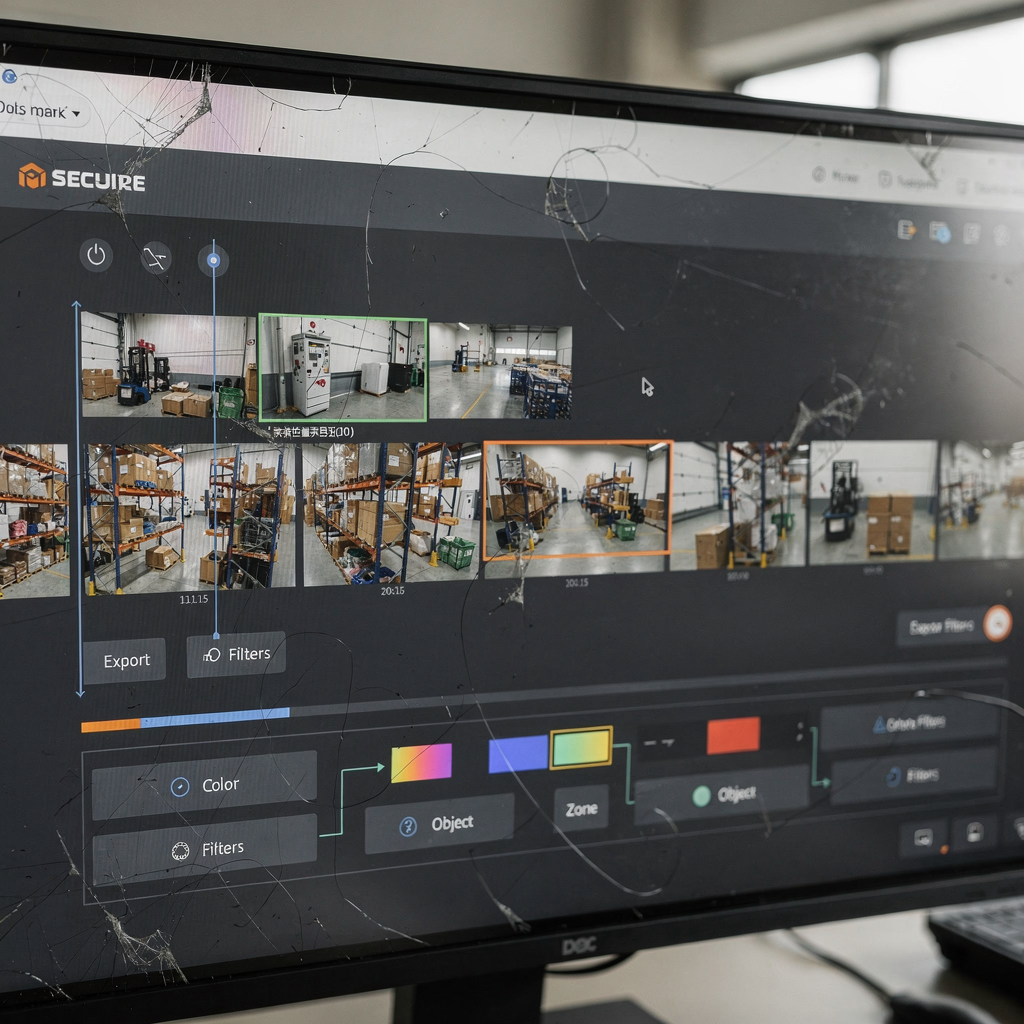
Secure sharing matters for evidentiary use. Configure role-based permissions to securely share clips for legal review. Use signed exports and maintain chain-of-custody logs so shared video evidence remains admissible. Also centralize archiving so teams can retrieve past events quickly and preserve audits for compliance.
When teams combine AI tagging with case-file automation, the system builds a pre-filled incident folder with linked video clips, associated metadata, and relevant access control logs. This reduces manual assembly and helps investigators focus on analysis and strategy. For examples of related capabilities in airports, see our pages on people detection and PPE detection people detection in airports and PPE detection in airports.
Unify automation and footage analysis for future-ready surveillance
To scale operations, teams must unify data and automate routine tasks. Start by centralizing events and by standardizing metadata fields. Centralize storage and retrieval so incident handlers can access records from a single console. This reduces duplication and speeds audit reviews.
Automation can generate alerts and pre-populate case files based on search results. For example, the system can flag repeated loiter near entry points and then open a case automatically. It can also combine access control logs with video clips to make investigations faster and more contextual. This automation helps make informed decisions under time pressure.
Emerging trends include predictive analytics and cloud-based processing. Predictive models can identify patterns that often precede incidents, and they can prompt faster interventions. At the same time, many organisations prefer edge-based processing to keep video and AI models on-prem for EU compliance. Open architecture and IoT integration make it possible to connect sensors, alarms, and cameras into a single operational picture.
In future deployments, AI agents will assist operators with contextual reasoning. They will explain why an alarm matters and recommend actions. visionplatform.ai already offers on-prem Vision Language Models and AI agents that support these workflows. The VP Agent Actions and VP Agent Reasoning features reduce manual steps and give operators clear, justified next steps. This approach scales monitoring volume while keeping human oversight where it counts.
Finally, plan your deployment to allow growth. Define retention policies, validate server capacity, and account for the expected number of cameras. Test automated workflows before full roll-out. A structured deployment lets teams adopt advanced search and automation gradually, and it keeps operations resilient and audit-ready.
FAQ
What is forensic search and how does it differ from standard search?
Forensic search applies AI to index and retrieve specific objects, behaviors, and events in recorded video. It differs from standard search by using semantic tags, object classification, and behavioural filters to find relevant clips quickly.
Can Genetec Security Center work with Axis cameras?
Yes, Genetec Security Center supports integrations with Axis cameras and with plugins such as Axis Forensic Search. Proper configuration and compatible firmware ensure the best performance.
How accurate are AI detections in forensic search?
AI detections can exceed 90% accuracy for object detection in many deployments (source). Accuracy depends on camera placement, resolution, and model tuning.
Does forensic search in Genetec require additional analytics servers?
Not necessarily. Some deployments run analytics at the edge and reduce the need for analytics servers. Others centralize processing on a server depending on scale and policy. Choose the best model for your site and compliance needs.
How do I share video evidence securely?
Use role-based access, signed exports, and chain-of-custody logs to securely share clips. Configure retention and audit trails so shared evidence remains admissible during legal reviews.
What is Axis Forensic Search plug-in and why use it?
The Axis Forensic Search plug-in indexes recordings and creates searchable metadata. It works with axis devices to support fast retrieval, motion object tracking, and targeted filters, making it ideal for fast incident response.
Can I search video footage using natural language?
Yes. Natural language search is possible with visionplatform.ai’s VP Agent Search, which converts visual events into readable text. This reduces training and speeds investigations.
How does automation improve investigation workflows?
Automation can trigger alerts, pre-fill case files, and combine related data sources such as access control and LPR. This reduces manual tasks and helps teams focus on analysis and decisions.
Is on-prem processing better than cloud for forensic investigations?
On-prem processing keeps video and models within your environment, which supports compliance and reduces data transfer costs. Cloud offers scalability, but many organisations use hybrid models to balance needs.
How do I ensure compatibility during deployment?
Validate camera firmware, network settings, and plugin requirements before deployment. Test with a subset of cameras and then scale, monitoring performance and adjusting for the number of cameras as needed.
