


occupancy and heatmaps: real-time visualization of zone density
Occupancy analytics in ports and terminals means measuring who and what occupy different areas. It tracks how vessels, trucks, and containers use each yard and berth. Operators get a visual representation that helps them allocate crews and cranes faster. Heatmaps and heat-map overlays translate raw counts into a colour-coded picture. This visual representation makes it simple to spot high-traffic areas and underused pockets of space.
In practice, heatmap tools display vessel berthing and yard usage live. They turn CCTV and sensor inputs into a single dashboard. For example, Visionplatform.ai converts existing cameras into an operational sensor network so teams can count people, vehicles and containers from their VMS. The results help an operator decide where to send staff more effectively and how to allocate cranes to reduce idle times without guesswork.
Quantitative studies back the benefits. Research shows ports that apply these methods can gain 15–20% berth utilization and lower idle times, a measurable capacity gain without adding land (study on typhoon and port resilience). Furthermore, container dwell time reductions of 30–40% have been reported when yard layout and truck flows are redesigned using analytics (congestion study). These figures come from careful data aggregation and frequent updates to planning dashboards.
At a technical level, platforms fuse current occupancy signals with GIS floorplan layers to visualize where capacity limits are approaching. A useful metric is percentage of berth utilization versus scheduled demand. Dashboards should show a heatmap legend, colour thresholds, and a live count so teams can see the current occupancy at a glance. For terminals handling passengers and freight, this clarity reduces bottleneck risk and supports decisions that maximize throughput.
Finally, operators who need airport-style crowd tools will find relevant implementations in people-counting and crowd detection solutions such as our people counting and crowd density pages people counting and crowd detection. These references illustrate how visual representation and aggregated metrics help managers evaluate performance and plan resource allocation.
occupancy sensors and sensor networks for space insight
Terminals depend on a mix of IoT devices and analytics to understand usage. Many sites combine radar loops, GPS feeds, and video analytics to count arrivals and departures. One standard approach is to reuse CCTV as a sensor layer. Visionplatform.ai turns cameras into event streams so teams can integrate detections with existing VMS. This strategy reduces hardware costs and improves coverage.
Occupancy sensors are deployed in container yards, gate lanes, and passenger areas. Each camera stream can publish structured events to MQTT. As a result, the enterprise gets consistent telemetry for dashboards and SCADA. Sites aim for high accuracy. Well-designed networks deliver up to 95% accuracy in reported space usage when sensors are correctly sited and models are customized to the site (occupancy analytics guide). Achieving that requires careful calibration and occasional retraining on local footage.
Network design matters. Sensors must cover blind spots near cranes and gate bottlenecks. They must also integrate with gate ANPR/LPR and RTSP feeds. Using a mix of passive WiFi, camera counts, and yard RFID gives redundancy. The inclusion of wifi probes and ANPR reduces single-point failures. For sensitive operations, on-prem processing keeps data local and helps meet EU AI Act requirements.
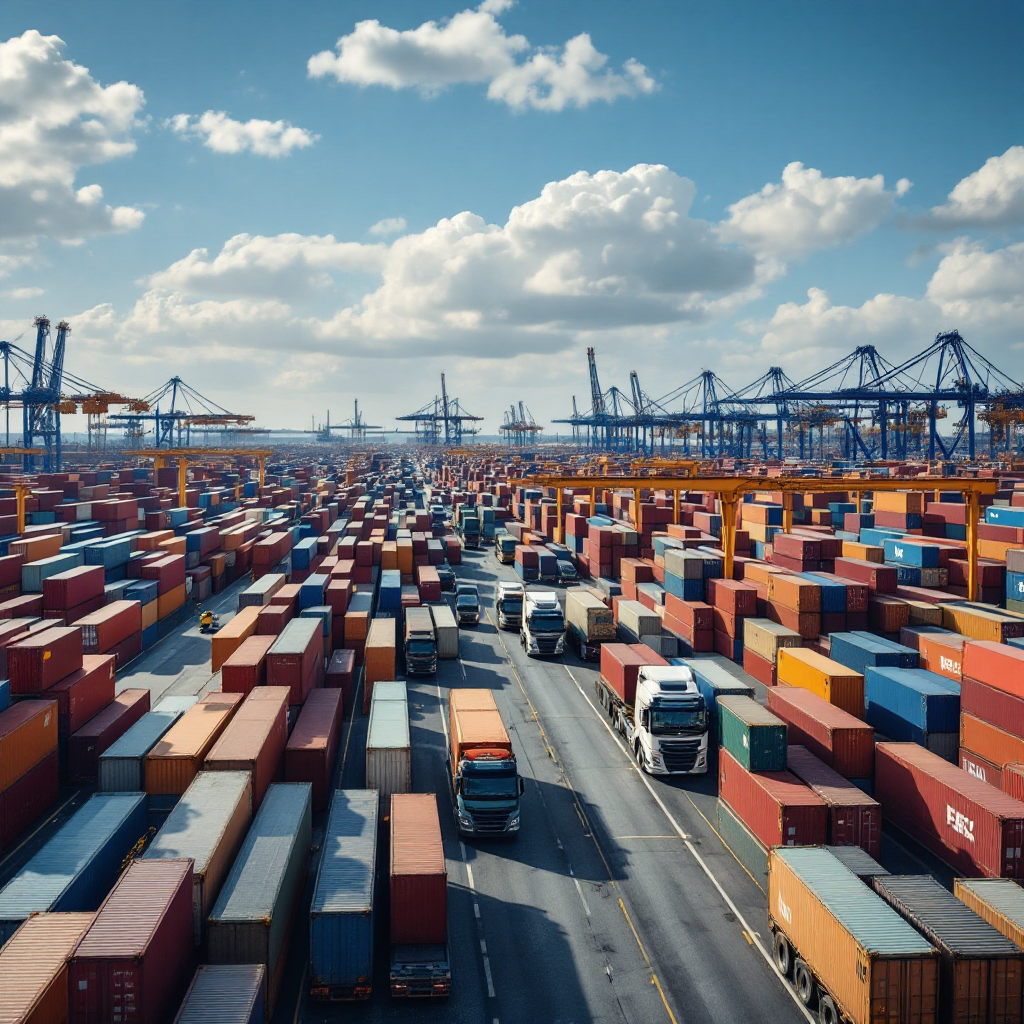
Use cases include tracking yard occupancy to avoid stacking beyond capacity limits and measuring truck dwell to reduce gate queuing. Data-led teams can visualize truck flows and then reroute outbound trailers to clear a bottleneck. When analytics detect a high-traffic lane, they trigger an alert and suggest rerouting. This prevents long queues at gates and helps staff more effectively allocate loading crews.
AI vision within minutes?
With our no-code platform you can just focus on your data, we’ll do the rest
analytics and heat map: maximizing operational efficiency
AI-driven analytics applied to heat map displays turn raw detections into action. Models learn patterns for vessel arrivals and truck peaks. When predictions show an imminent congestion event, the management team receives a suggested allocation plan. The plan can reassign cranes, change shift timings, or open spare lanes. These small moves reduce dwell time and increase effective capacity.
Data shows that analytics-guided decisions can cut container dwell time by 30–40% in congested ports when combined with layout changes and dynamic scheduling (congestion and dwell time analysis). AI models also support what Dr. Li Wei calls “predictive management,” reducing delays during extreme events such as typhoons (Mitigating Typhoon Disruptions). He notes, “The integration of heatmap analytics in port operations … enables predictive management” which helps resilience against storms.
A practical example comes from Shanghai Port, where dynamic space management during storms improved berth allocation and reduced damage risk by enabling rapid vessel reassignment. The study illustrates how robust analytics can adapt to weather-driven shifts in demand. Port teams used GIS overlays and current occupancy readings to simulate alternate layouts. Then they executed fast reroutes.
Good dashboards must show both heatmaps and discrete metrics. Include a list of recommended KPIs: dwell time per container, crane utilization, truck turn time, and berth utilization. Combine those with a heatmap that shows high-traffic areas and a heat-map view that highlights long queues. Smart rules can then automatically allocate spare cranes or notify stevedores. This removes guesswork from critical decisions and helps maximize throughput while meeting service-level targets.
map-based density analysis for smarter terminal planning
Integrating density metrics with GIS layers makes planning concrete. Planners can overlay yard sections, rail links, and service roads on a single map to evaluate scenarios. With these layers, it is easier to spot congestion hotspots and predict where new capacity will be most effective. A map that blends historical and live inputs helps teams plan both short-term fixes and long-term expansions.
Spotting a peak in inbound trucks near a particular gate suggests rerouting or expanding the queue lane. Conversely, a persistent empty yard block indicates an opportunity to reassign that area for temporary storage. Planners use the map to compute utilization ratios and to simulate capacity limits for different handling strategies.
GIS integration supports better asset management too. By tagging crane locations, lighting points, and maintenance zones on the same map, planners reduce maintenance delays and can prioritize upgrades. This improves uptime for critical equipment. When planners evaluate yard expansion, they can reference aggregated metrics such as average stack height, average dwell per container, and percentage of time a lane is occupied. These numbers inform cost-benefit models.
To help teams avoid repeating mistakes, combine map layers with scenario testing. For example, run a forecast for a high-traffic week and then visualize alternate layouts. These forecasts help evaluate whether adding a buffer lane or changing truck appointment windows yields the best return. Many ports that use such data-driven planning reduce long-term capital spend while improving daily performance. For airport-facing readers, see our heatmap occupancy analytics in airports page for comparable mapping techniques heatmap in airports.
AI vision within minutes?
With our no-code platform you can just focus on your data, we’ll do the rest
heatmap integration: visualization of occupancy patterns to optimise space
Good visualisation design is essential for adoption. Dashboards must be readable at a glance. Use a clear legend and a colour palette that supports quick decisions. A colour-coded heatmap should include thresholds for acceptable, caution, and critical states. The display should also let users switch to a floorplan view when they need a close-up.
Overlaying vehicle movements, crane operations, and environmental data provides context. For instance, particulate or emissions layers help teams avoid placing sensitive cargo near high-emission lanes. That approach supports regulatory compliance in nearby communities (study on ship-related pollution). Combine that with a heatmap so regulators can see where mitigation is needed.
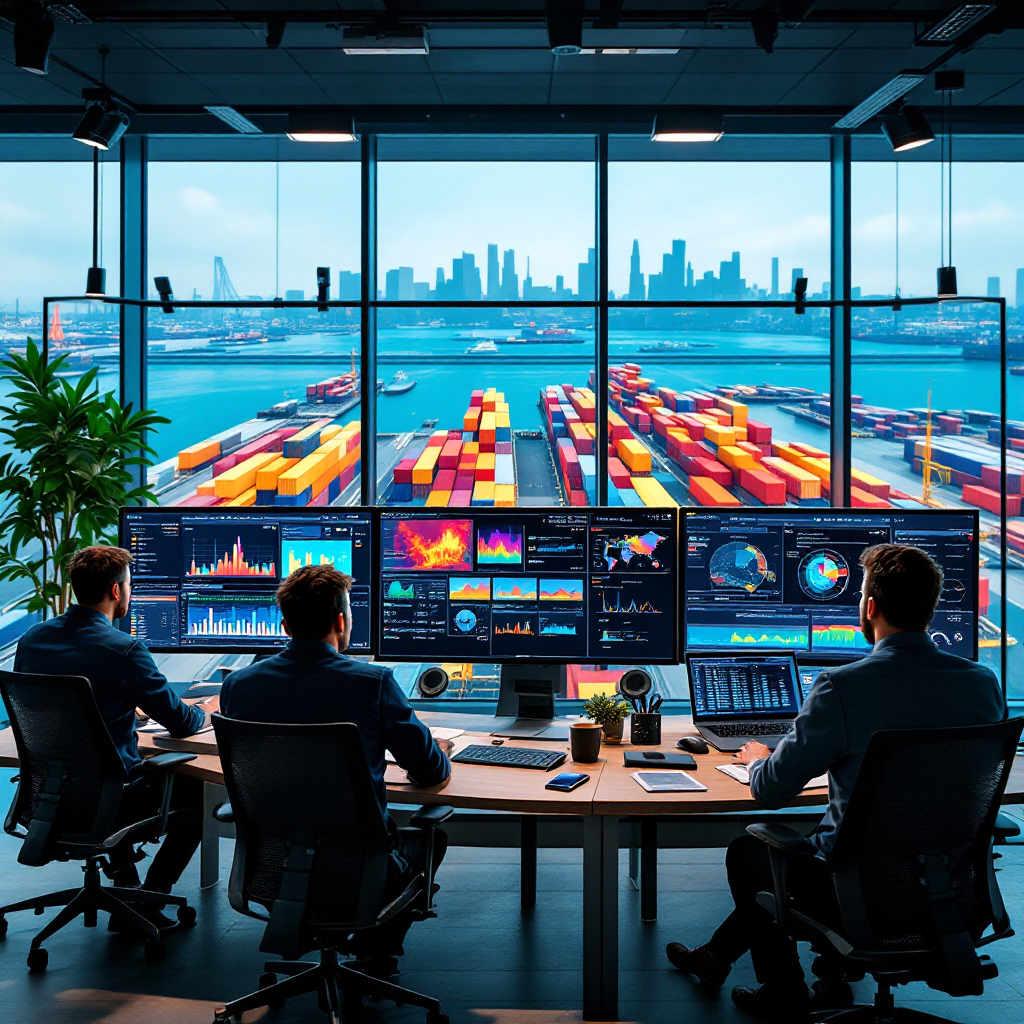
Best practices include a small set of widgets and the ability to customize them for different roles. An operator at the gate needs different details than a logistics planner. Therefore, allow users to visualize historical heatmaps, current occupancy snapshots, and forecast layers. Also, integrate ANPR/LPR feeds to link truck IDs to events. For baggage- or cargo-sensitive zones, enable alerts when a truck tries to occupy a restricted area.
Design rules should reduce cognitive load. Use spatial clustering, simple metrics, and the ability to zoom from a map to a floorplan. Offer aggregated views for executive teams and more granular views for the on-site crew. This duality helps management teams evaluate system health and lets ground staff act quickly. Dashboards that let teams allocate tasks and then track outcomes create a feedback loop that refines model accuracy and reduces reducing wait times for drivers and cargo handlers.
predictive analytics to maximize throughput and resilience
Forecasting occupancy patterns with machine learning lets ports move from reactive to anticipatory operations. Models use historical flows, weather forecasts, and vessel schedules to predict demand. Planners then use those forecasts to automate allocation of cranes, trucks, and berths. Automation reduces manual scheduling and helps maximize throughput under varying conditions.
Many sites are also exploring digital twins. These systems mirror the terminal in software and run simulations. Digital twins help evaluate the impact of a new berth or a different truck appointment policy before any physical changes occur. Interoperability frameworks help these twins talk to legacy terminal operating systems and to enterprise BI tools.
Future sensors will improve model inputs. Next-generation camera models, edge inference appliances, and on-prem training pipelines let teams customize detections to their objects of interest. Visionplatform.ai provides a path to keep models local while streaming structured events to business systems. That approach supports privacy and EU AI Act readiness, and it allows operators to build bespoke classes for local assets.
Finally, integrate predictive outputs with incident management so that when a forecast shows a bottleneck, the system triggers predefined workflows. These steps can include opening a spare yard block, rerouting trucks, or notifying the management team for rapid intervention. The net result is improved resilience, a clearer allocation of human resources, and steady gains in capacity without massive capital expenditure.
FAQ
What is a heatmap in the context of ports and terminals?
A heatmap is a colour-coded visual that shows how different areas are used over time. It helps teams spot high-traffic zones, underutilized blocks, and potential bottlenecks so they can allocate resources more effectively.
How do occupancy sensors work in a terminal?
Occupancy sensors use video, WiFi probes, ANPR, or RFID to detect presence and movement. The sensors stream events to analytics platforms where counts are aggregated and converted into dashboards for operational decisions.
Can heatmaps reduce container dwell time?
Yes. When combined with analytics, heatmaps reveal inefficiencies and enable reconfiguration of yard layouts and schedules. Studies show dwell time can fall by up to 30–40% when data-led changes are implemented (research).
Are these systems compatible with existing VMS infrastructure?
Many platforms integrate directly with common VMS solutions. For example, Visionplatform.ai works with Milestone XProtect and RTSP streams so existing cameras become operational sensors. This avoids large hardware rip-and-replace projects.
How accurate are camera-based occupancy solutions?
Accuracy depends on deployment and configuration, but well-designed installations can reach about 95% accuracy in space-usage reporting when models are tailored to the site (guide). Regular calibration improves long-term performance.
What role does GIS mapping play in terminal planning?
GIS mapping overlays density metrics, floorplans, and asset locations so planners can test scenarios visually. Maps make it easier to spot hotspots and to plan expansions or reroutes without immediate capital spend.
How do predictive models handle extreme weather events?
Predictive models can ingest weather forecasts and historical disruption patterns to simulate impacts. Studies of typhoon responses show that predictive management and dynamic space allocation improve resilience and reduce delays (study).
Is on-prem processing necessary for compliance?
For many operators in regulated regions, on-prem processing helps keep data local and reduces regulatory risk. It is particularly important for sites that must meet EU AI Act or GDPR requirements.
How do these tools support environmental monitoring?
Heatmaps can be combined with pollutant layers to monitor emission-sensitive zones. This helps terminals comply with regulations and reduces community impact by highlighting where mitigation is needed (pollution study).
Where can I learn more about airport-style people counting and crowd detection?
Related implementations at airports are useful models for ports. See our people counting and crowd detection pages for techniques that can be adapted to terminals: people counting and crowd detection. These resources show how to count people, visualize flows, and apply data-driven rules on-site.
