


occupancy analytics and metric: quantifying warehouse utilisation
Occupancy analytics offers a clear way to quantify how a warehouse performs. First, it defines what is occupied, when, and for how long. Then teams use that definition to set a metric for space usage. For example, a simple metric might be the percentage of square foot in active use during peak hours. This single metric can drive decisions about storage density, aisle width, and staffing levels.
To get useful utilization data, collect baseline measurements. These include average occupancy, dwell times, and throughput per loading bay. For instance, studies tie heatmaps to a 15–20% improvement in space utilization when managers reconfigure layouts based on real measurements Heat Map Visualization for Space Management. Also, occupancy monitoring has shown accident reductions of up to 30% by identifying overcrowded or hazardous zones in advance AI-Powered EHS Management Platforms for Safer Workplaces.
Next, measure square foot utilization by dividing active work area by total floor area. Then break that down per zone to see which aisles or staging bays underutilize. Use counts over time to build statistics. These statistics reveal peak windows and quieter shifts. They also show types of occupancy, such as transient workers passing through versus long-term staging in a bay. By tracking these trends, a manager can extract the busiest hours and assign staff more precisely.
Finally, do not rely on guesswork. Instead, integrate sensor feeds and video events to count people and assets. Visionplatform.ai turns existing CCTV into an operational sensor network so teams can count people without adding cameras. For example, if average occupancy spikes at certain hours, then adjust schedules. If throughput drops when dwell climbs, then redesign the floorplan to shorten travel. Overall, this approach helps warehouses move from intuition to evidence-based decisions that maximize square foot and reduce idle inventory.
heatmaps and density map: visualising traffic per zone
Heatmaps and density maps visualize traffic patterns in a clear way. They show where workers and equipment converge. They also highlight bottlenecks and underused aisles. With a heatmap you can visualize where congestion forms during receiving or picking. A density map overlays counts on a floor plan so teams see which zone attracts the most activity.
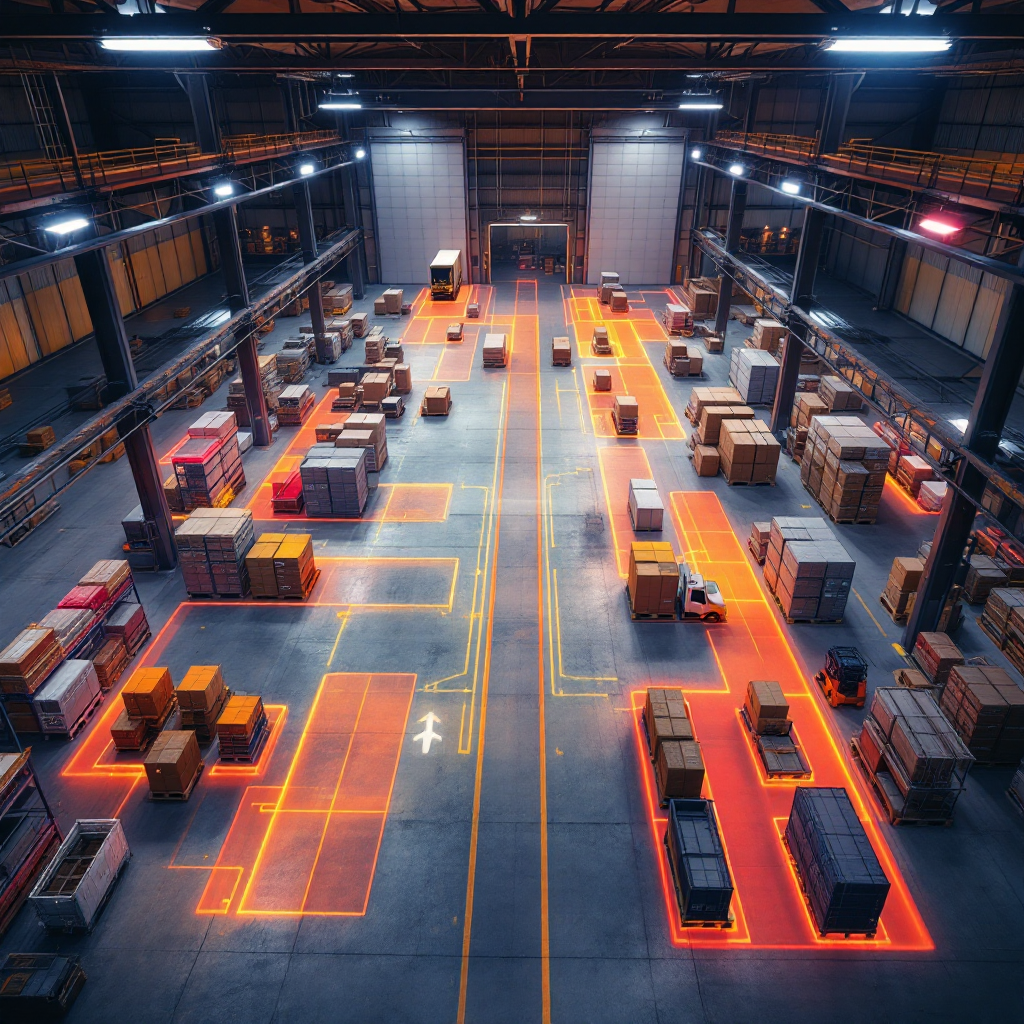
Tools and algorithms for zone mapping range from simple time-aggregated overlays to AI models that track trajectories. For example, computer vision systems create heatmaps by aggregating detections and plotting them on a map. Roboflow explains how images and occupancy graphs reveal busy areas and bottlenecks, enabling targeted interventions Occupancy Analytics with Computer Vision – Roboflow Blog. Similarly, digital twin platforms use spatial models to map density and suggest aisle changes.
Typical warehouse flow patterns show heavy traffic along main pick lanes and near packing stations. Conversely, deep storage rows often underutilize valuable space. Heatmaps can show seasonal shifts, such as holiday surges that push activity into overflow aisles. Use these visualizations to adjust layout and to assign temporary staging on the optimal side of the warehouse.
When you visualize density, you also gain insight into safety risks. Heatmaps point to overcrowded areas where workplace safety needs attention. They also help set capacity limits for aisles or staging zones to avoid overcrowded areas during peak loads. In practice, overlay heatmaps with operational KPIs to prioritize layout changes that reduce travel time and improve pick accuracy.
For operators wanting more context, see related visual tools like heatmap-occupancy analytics pages that adapt airport techniques to warehouse operations heatmap and occupancy analytics examples. These resources show how sector-specific patterns translate across facilities.
AI vision within minutes?
With our no-code platform you can just focus on your data, we’ll do the rest
occupancy sensors and camera integration: implementing real-time data capture
Selecting the right occupancy sensors matters. Options include ultrasonic, RFID, BLE tags, wifi triangulation, and camera-based systems. Each brings trade-offs. Ultrasonic sensors offer low cost and simple counts. RFID and BLE help tag assets and track pallets. Camera solutions provide rich contextual data, such as posture, PPE use, and movement paths.
Camera integration requires careful planning. First, choose cameras that work with your VMS and support ONVIF or RTSP. Then integrate detections into your analytics server. Visionplatform.ai supports hybrid deployments so you can use existing CCTV as a source of detections without routing data off-site. This approach keeps data local and supports EU AI Act compliance.
Next, combine multiple sensor types to improve accuracy. A camera can count people and detect equipment. Meanwhile, wireless sensors can track BLE-tagged carts. Together they reduce blind spots. Calibration is essential. Calibrate fields of view and detection thresholds during low-traffic windows. Then validate counts against manual headcounts or gate logs. High accuracy improves trust and reduces false alerts.
Maintenance also matters. Schedule periodic lens cleaning, firmware updates, and re-calibration after layout changes. Use health checks to flag failing sensors before they affect operations. Finally, plan for data integration. Stream events via MQTT or webhooks so operations teams can consume detections in dashboards and control systems. This integration helps teams react in real-time and supports proactive interventions that reduce congestion and improve flow.
dashboard and data analysis for efficiency: from occupancy data to actionable insights
A well-designed dashboard turns raw events into valuable insights. Start with clear KPIs. Include pick rates, travel distance per shift, and current occupancy by zone. Use visuals that highlight anomalies. For example, trend lines for inbound vs outbound throughput help managers spot declines early. Also include maps with overlays so teams can see where delays cluster.
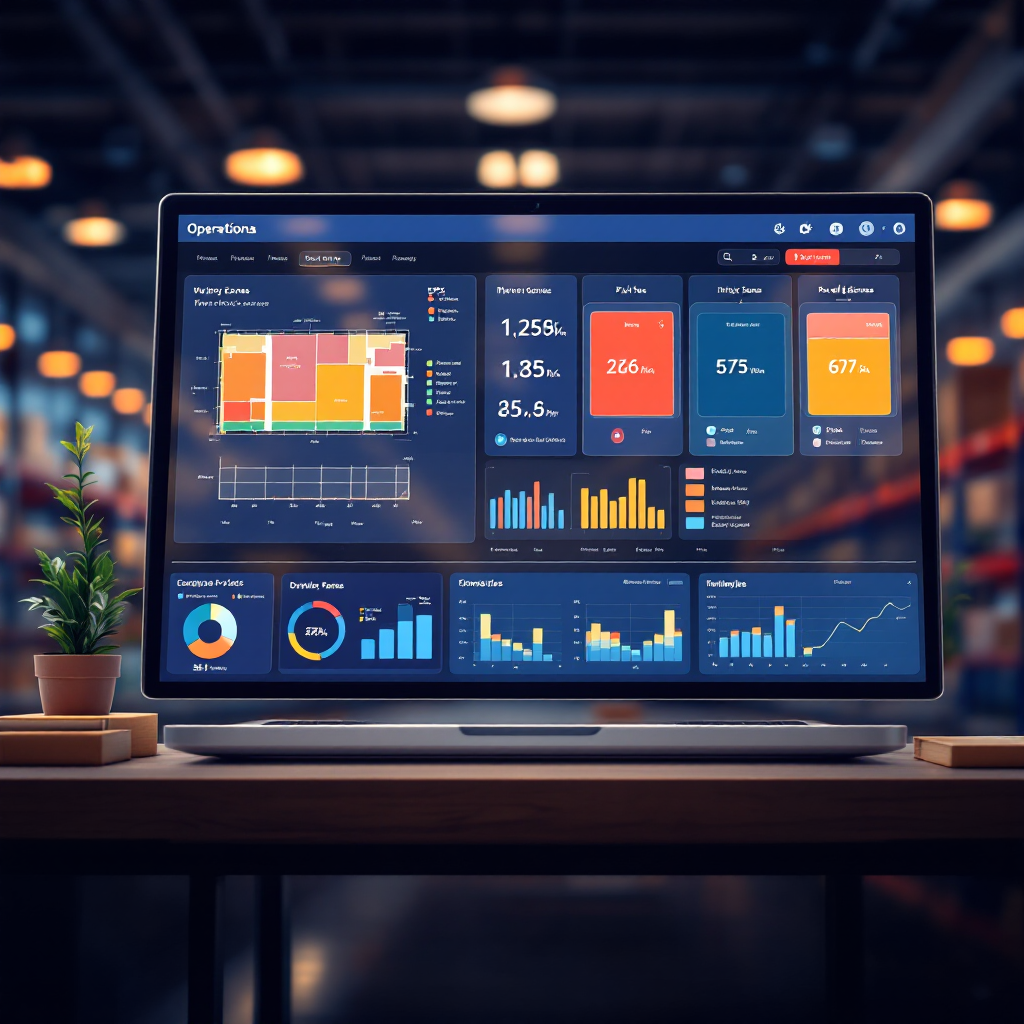
Data analysis should be straightforward. Connect the dashboard to occupancy data streams, and then apply filters for shift, zone, and SKU type. Use simple comparisons first. Compare current occupancy against historical averages to detect unusual patterns. For example, if a packing area shows a sudden increase in dwell, the dashboard should flag it. This enables a manager to reassign staff or open a secondary packing lane quickly.
Dashboards must also support drill-downs. Allow supervisors to click a zone and see individual events. This helps them detect root causes and assign corrective actions. For instance, a drop in pick rates combined with increased travel distance points to poor floor plan decisions. Acting on these insights improves operational efficiency and reduces wasted motion.
Finally, enrich dashboards with AI-powered analytics where useful. Use models to predict congestion and to recommend staffing changes. These recommendations should be evidence-based and auditable. When teams trust the dashboard, they follow its guidance and achieve consistent gains in throughput. Digital twin studies show aisle-to-aisle visibility can increase inventory accuracy by 25% and reduce retrieval times by 20% Why Dexory: The Future of Smart Warehousing. Use those insights to prioritize layout changes and to monitor impact over time.
AI vision within minutes?
With our no-code platform you can just focus on your data, we’ll do the rest
use cases and best practices to maximise space and square foot utilisation
Warehouse use cases vary across inbound, storage, and outbound areas. In inbound zones, analytics helps schedule dock times and reduce truck waiting. In storage, heatmaps and per zone utilization show which racks to consolidate. In outbound, visibility into the busiest packing lines helps allocate temporary staff and reduce delays.
Apply best practices when you redesign a floorplan. First, analyze pick paths and group high-velocity SKUs closer to packing. Second, use staging rules to avoid blocking main aisles during peaks. Third, repurpose underused corners for overflow or for small-item pick faces. These small changes can maximize square foot value without major construction.
Booking strategies also help. Implement a lightweight room booking system for staging areas so teams reserve space for cross-dock loads. Convert seldom-used offices or meeting room spaces into temporary packing or kitting zones during seasonal surges. This allows rapid scaling without permanent changes. For details, consider room booking workflows that keep capacity limits in mind. They prevent overcrowding and keep operations safe.
Finally, emphasize simple operational rules for staff. Assign pick zones daily based on utilization trends. Use lighting and signage to guide temporary layouts. Monitor the busiest hours and schedule breaks to smooth flow. These small process tweaks reduce congestion and yield measurable gains. For additional examples of crowd and density management techniques, see resources on crowd detection adapted to industrial sites crowd detection and density methods.
privacy, implement smart building solutions for corporate real estate and room booking
Privacy must guide any camera or sensor deployment. Design systems to minimize data retention and to anonymize detections where possible. For instance, stream only structured events rather than raw video to downstream systems. Visionplatform.ai supports on-prem processing so firms can keep sensitive footage inside their environment and meet GDPR and EU AI Act requirements.
Smart building platforms bring occupancy and environmental systems together. They integrate HVAC, lighting, and room booking to create more efficient workspaces. For warehouses, smart building controls can dim lighting in idle aisles and boost ventilation where density is high. This saves energy and improves worker comfort.
Linking occupancy analytics to corporate real estate helps planners too. Use occupancy reports to justify consolidations or expansions. Data replaces guesswork when negotiating leases or when assessing underutilize sections of a facility. Additionally, combine room booking with dashboard alerts to prevent accidental double assignments. This helps teams collaborate while respecting capacity limits.
Finally, balance data utility with ethical safeguards. Implement role-based access to analytics, retain only what you need, and document retention policies. When privacy is embedded into the design, you gain trust and higher adoption. For practical models of compliance and local processing, review approaches that align with airport-grade systems for people counting and analytics people counting solutions. This helps operational teams implement scalable, privacy-aware systems that support both real estate strategy and daily operations.
FAQ
What is occupancy analytics and why does it matter for warehouses?
Occupancy analytics measures how many people or assets use a given area over time and where they move. It matters because it turns vague observations into actionable data that improves workflow, safety, and space occupancy.
How do heatmaps improve warehouse layout decisions?
Heatmaps visualize high-traffic areas and low-use zones so managers can redesign aisles, move pick faces, or add staging to reduce travel. They make it easier to spot congestion and to implement targeted fixes.
Which sensors work best for counting people and assets?
A combination of camera-based detections, RFID, and BLE provides both context and tag-level tracking. Cameras give rich behavior data while RF tags help identify specific assets.
How do I ensure camera deployments respect privacy?
Process video on-prem where possible, stream structured events rather than raw footage, and apply role-based access. These steps minimize exposure while keeping the analytics useful.
Can occupancy analytics help reduce accidents?
Yes. Intelligent monitoring can flag overcrowded areas and predict hotspots, which allows supervisors to act before incidents occur. Studies cite up to 30% fewer workplace accidents with such systems source.
What KPIs should a warehouse dashboard show?
Include pick rates, travel distance, current occupancy per zone, and dwell times. These KPIs help teams prioritize layout and staffing changes for measurable gains.
How do digital twins support occupancy planning?
Digital twins simulate physical operations and test layout changes using real occupancy feeds. They can predict impacts on retrieval times and inventory accuracy before changes go live source.
Are camera-based systems accurate enough for operations?
When calibrated and combined with other sensors, camera systems can reach high accuracy for counts and behavior detection. Regular maintenance and validation keep accuracy high.
How do I link occupancy analytics to corporate real estate decisions?
Use long-term occupancy trends to justify space consolidation or repurposing. Data helps move decisions away from guesswork and toward cost-effective outcomes.
What immediate gains can I expect after implementing occupancy analytics?
Typical gains include better space utilization, smoother workflows, and faster response to congestion. For example, using heatmaps to reconfigure layouts has shown 15–20% improvement in utilization source.
